Backup Manager takes the configuration off every switch, router, firewall and server you own, on a schedule, and tells you the moment one of them changes. When something is misconfigured at 3am, you already have last night's config — and the diff that shows what moved.
A switch dies on a Sunday. Someone changed a firewall rule and nobody remembers which. An auditor asks to see what a device looked like in March. Backup Manager exists so none of those is a bad afternoon.
Nobody is awake for this. At the scheduled minute the server opens a session to each device, pulls its configuration, compares it with last night’s and closes the session. Here is that, in miniature.
Swipe the diagram to follow each device →
Twelve modules, all included — no paywalled features, no per-device add-ons.
Pick a time per device and the backups stagger themselves, so forty switches do not all wake the network at 2am. Failed jobs retry on their own with a growing gap between attempts.
Every capture is compared with the one before it. When a config differs you get a line-by-line diff, who changed what and when — and a full version history to walk back through.
Check stored configs against your own rules — telnet still enabled, no AAA, weak SNMP strings, missing logging. Run them across the estate or against one device, and look back at how a config stood on an earlier day.
Modern SSH, legacy kit that only speaks old ciphers, gear that only offers Telnet, and firewalls with a config-export API. Host keys are remembered so a swapped device is noticed rather than trusted.
Built-in command sequences for Cisco, Juniper, Aruba, MikroTik, D-Link, Sophos, Cambium and Ruckus — or write your own step by step, with enable prompts and pager handling.
Push any stored version back to a device, with a dry run first that shows exactly which commands would be sent. Every restore is logged with its full transcript.
Backup summaries, compliance status, change history and device health as charted PDFs. Download on demand, or have them emailed weekly or on a date and time you choose.
Mirror archives to S3-compatible storage so a lost backup server is not a lost backup. Grandfather-father-son retention keeps daily, weekly and monthly copies without filling the disk.
Large file trees are pulled over several SSH sessions at once and big files split into ranges, which took one real 1.6 GB backup from fourteen minutes to under five. Pick exactly which directories to include first.
A page that answers "what is broken right now" — devices that have never backed up, ones that stopped, ones failing repeatedly. Alerts by email, webhook or Slack when a job fails or a config changes.
Device passwords are encrypted with a key held separately from the session secret, archives can be encrypted on disk, and SSH sessions are closed as soon as a copy finishes rather than left idle.
A token-authenticated REST API, CSV export, Prometheus metrics and an audit log of every action, so this fits the monitoring and reporting you already run.
On a fresh Ubuntu or CentOS server — Node.js, every dependency, a locked-down service account and a systemd service that survives a reboot, all done for you.
Then open http://your-server:3000 and sign in. The installation licenses itself for 15 days on first run. Full steps in the user guide.
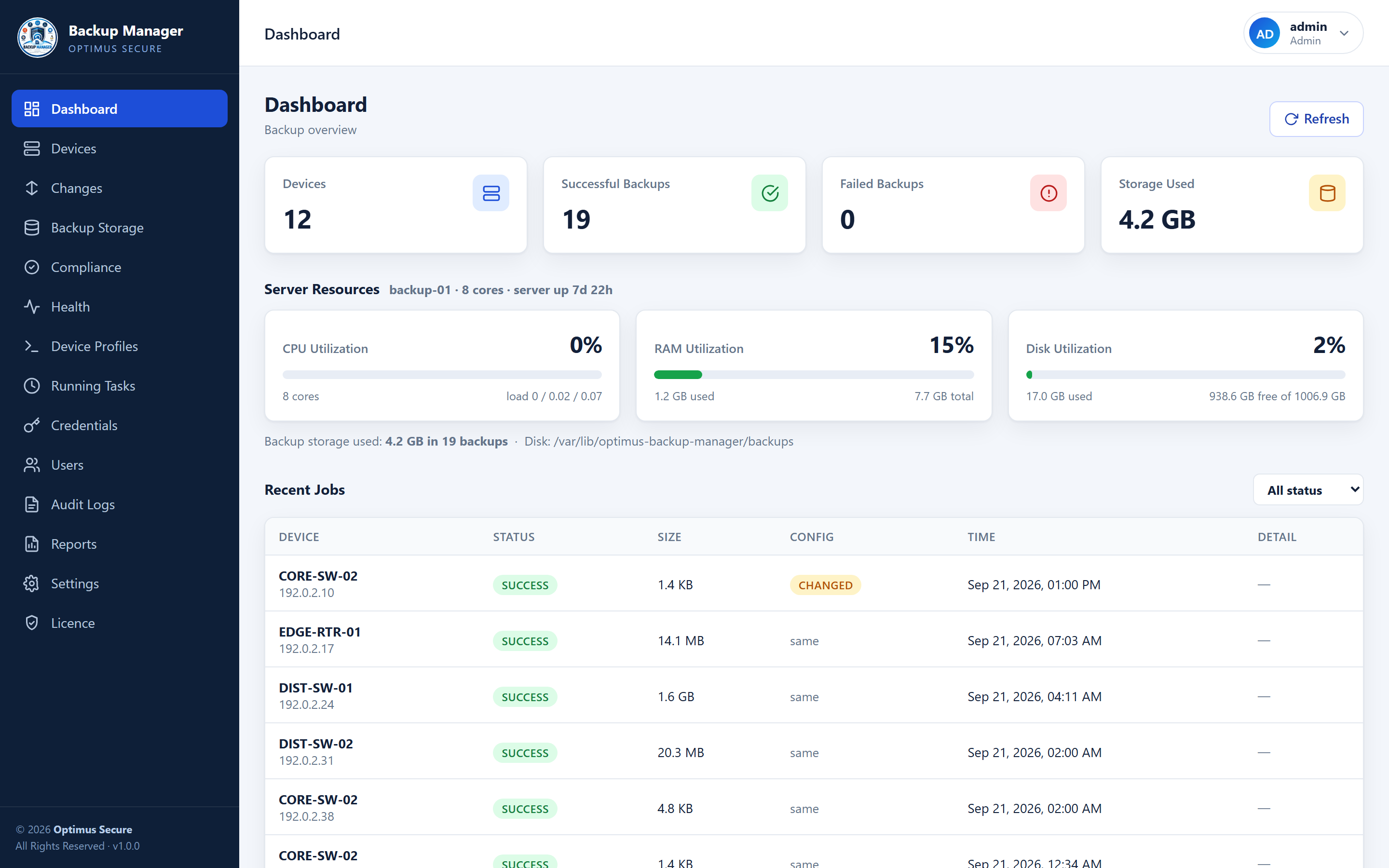
The real console. Device names and addresses below are examples, not a live network.
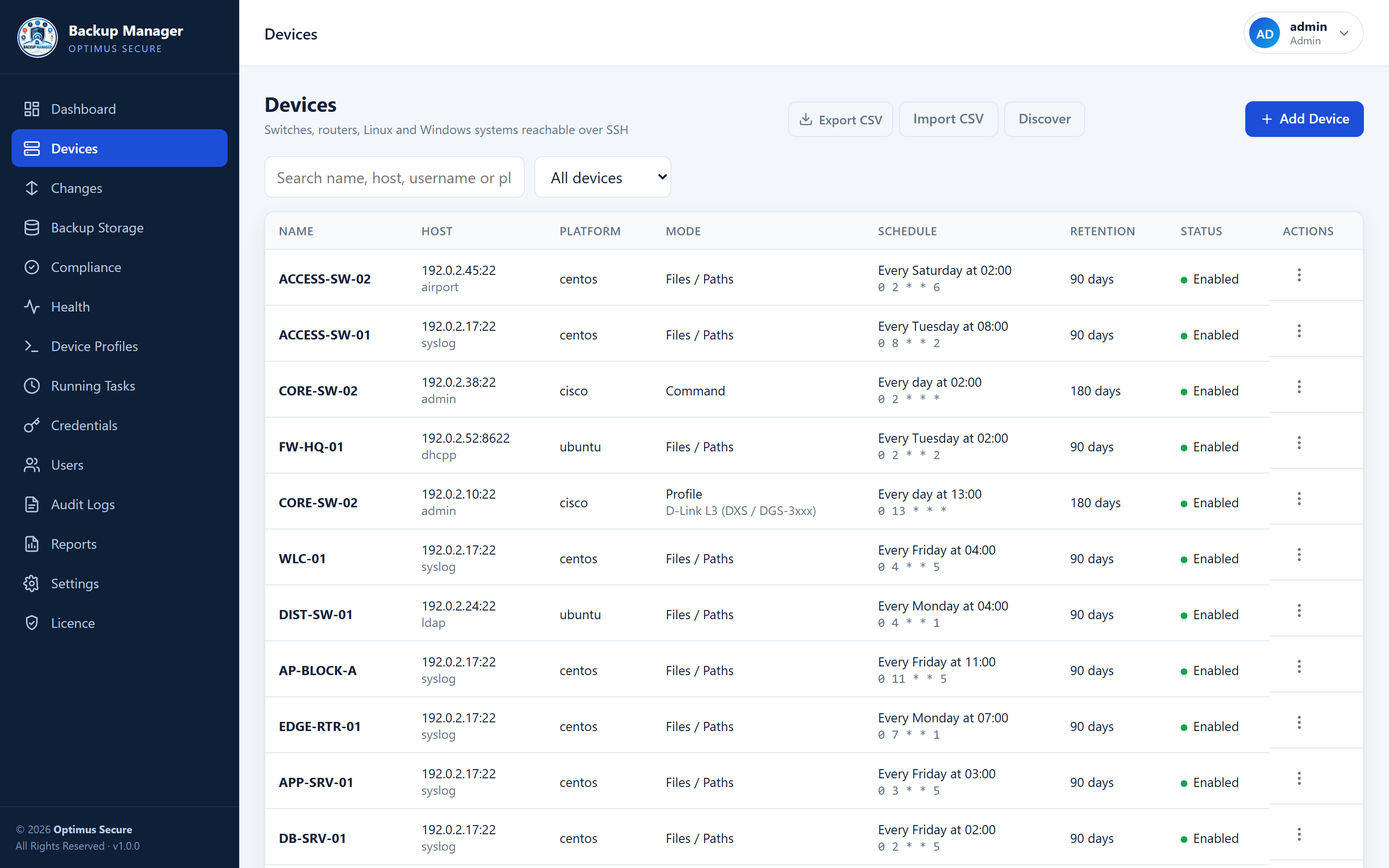
Every device in one list — search, filter, and run a backup on demand from the row menu.
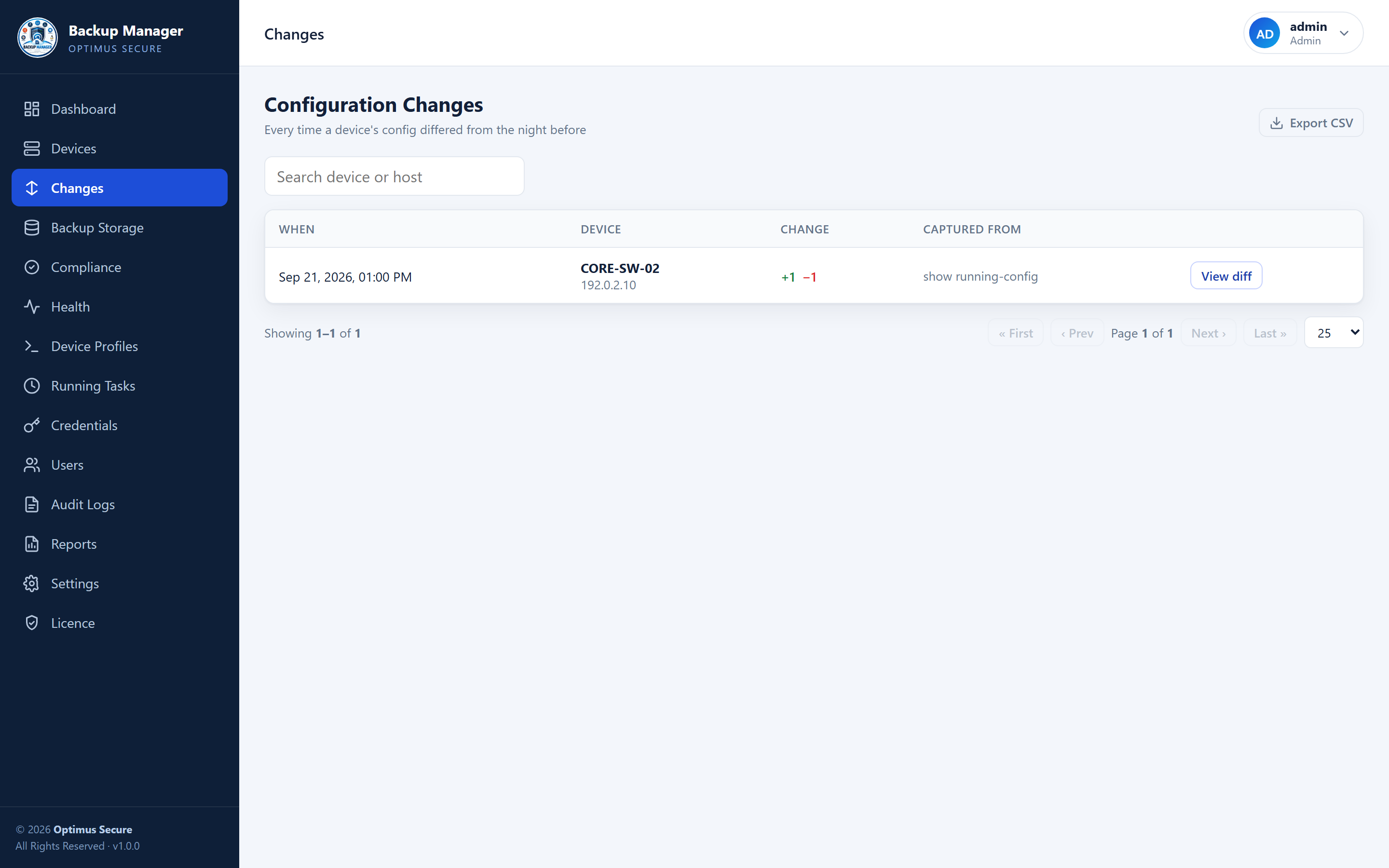
What changed, on which device, and when — with a line-by-line diff a click away.
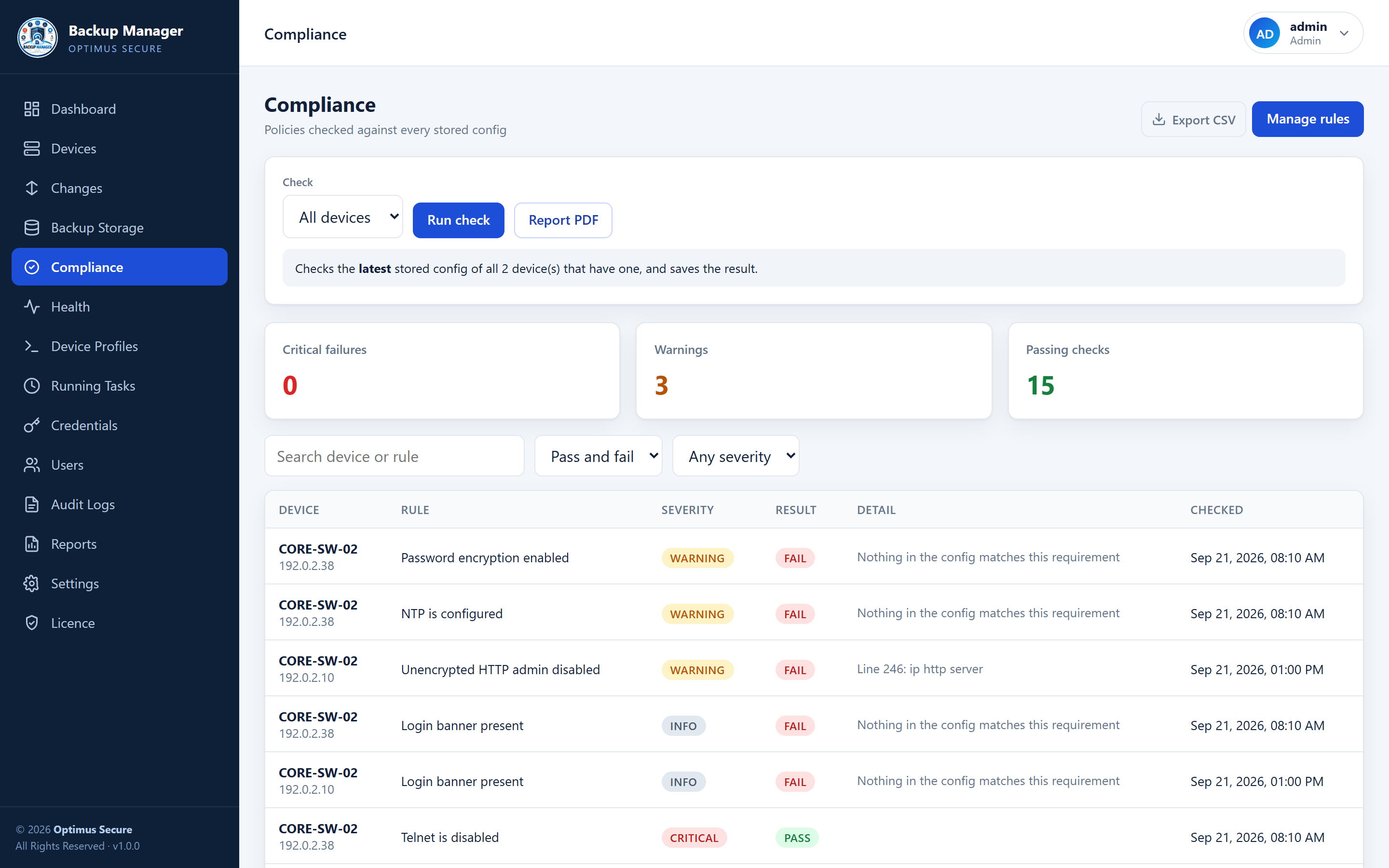
Compliance across the estate, or one device against one stored configuration.
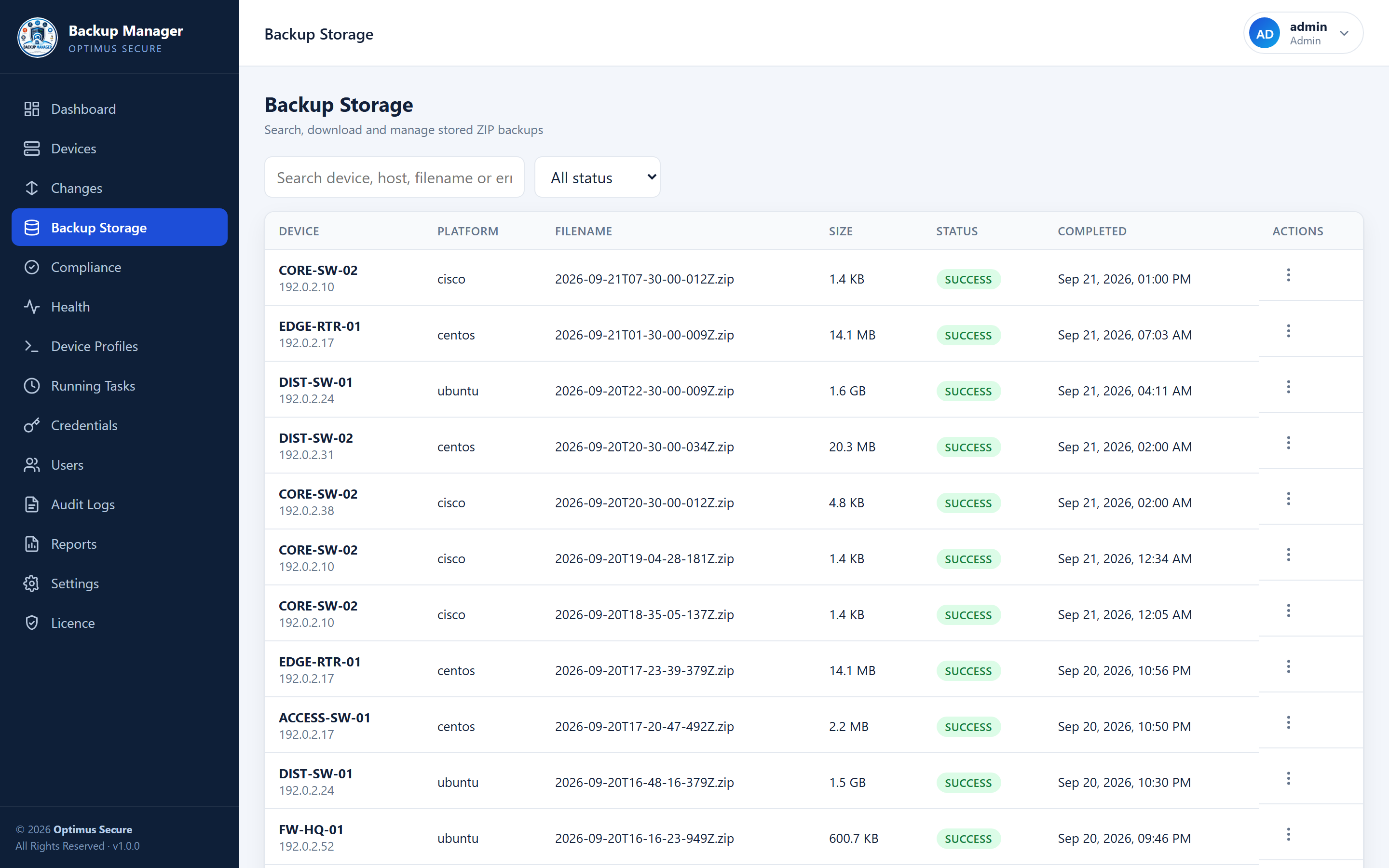
Stored archives with size and status — view a switch configuration in place, or download the lot.
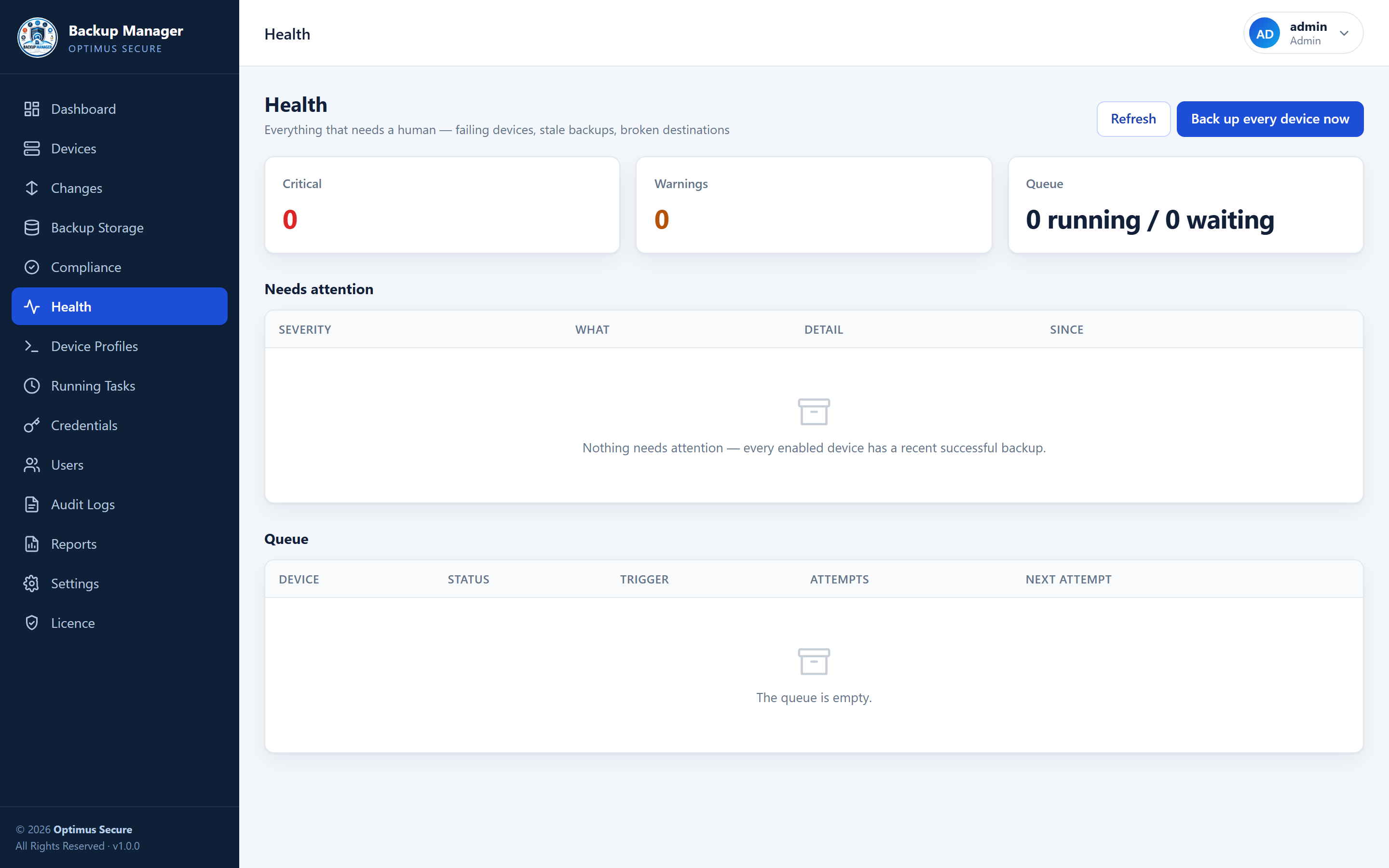
The page that answers "what is broken right now", before anyone has to ask.
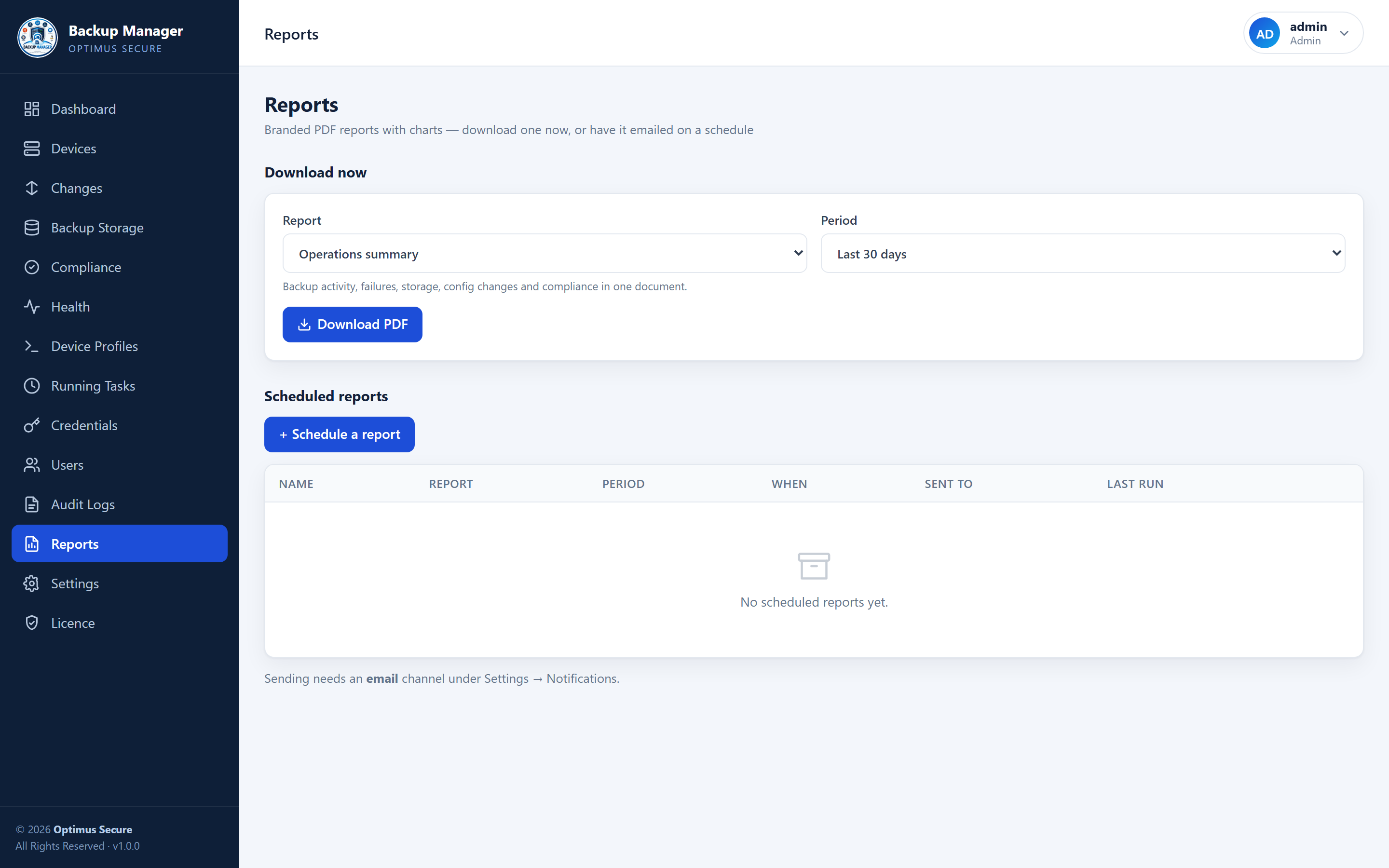
Charted PDF reports, downloaded on demand or emailed on the schedule you set.
Install it and it licenses itself for 15 days — no key to type, nothing to register. Extend the term with us and the installation picks it up on its own.
The clock starts when the software is first activated, not when a key was issued, so a full trial is a full trial.
No route to the internet? Send us the machine fingerprint from the Licence page and import the signed licence file we send back. No network needed, ever.
If a licence lapses, new backups pause — but viewing, downloading, comparing and restoring everything already collected keeps working. Your configuration history is yours.
Built For
Install it on your own server in one command and try it free for 15 days, or talk to us and we'll help you roll it out across your network.