LDAP-Manager is a single dashboard for your entire network directory — user & group management, a branded captive portal, firewall integration, high availability and monitoring, all in one place.
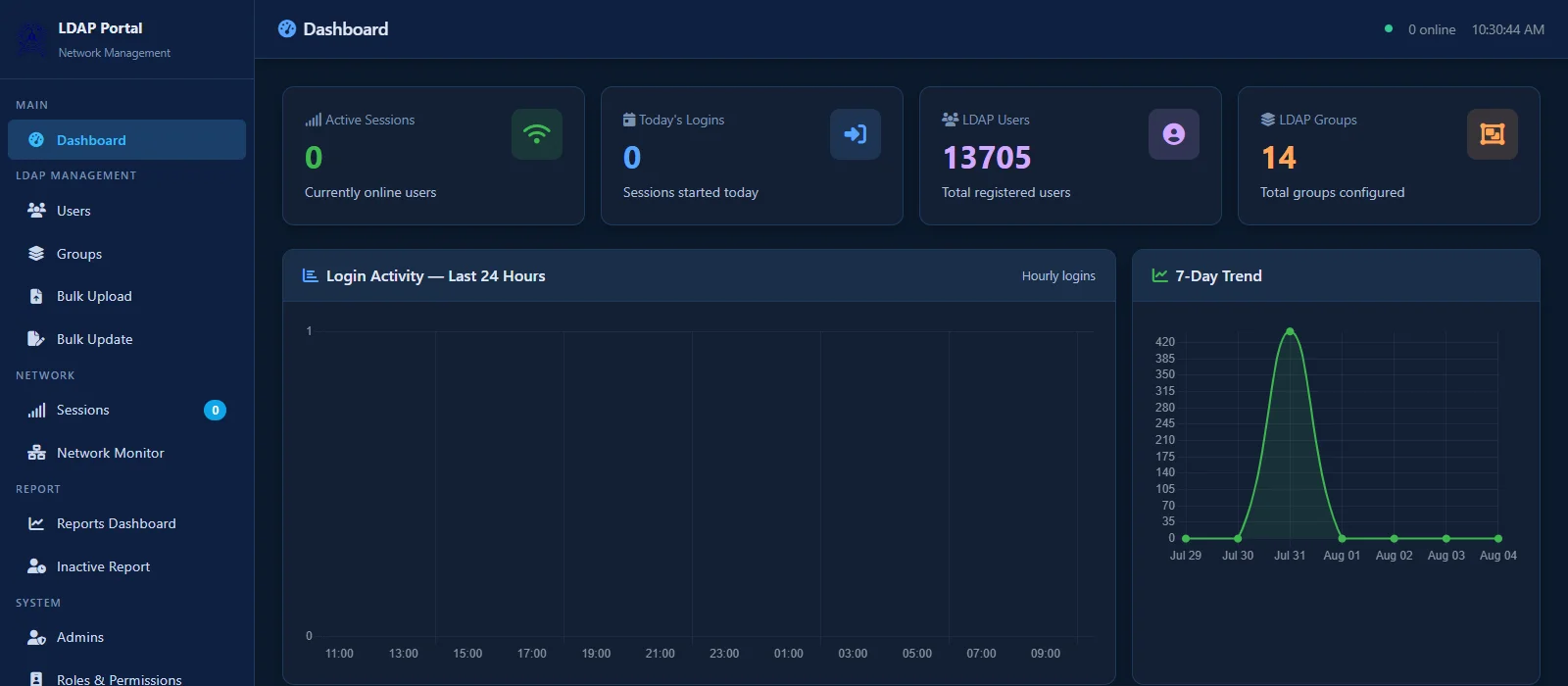
Built from real deployments — not a checklist of features nobody uses.
Create, edit, disable and delete users and groups from one dashboard — with bulk edit, bulk restrict and bulk delete for when you're managing thousands of accounts, not a handful.
Onboard a whole batch of students or staff from an Excel sheet, export the full directory the same way, and schedule encrypted directory backups you can restore from in a click.
A native captive portal that authenticates straight against your Palo Alto firewall, plus core-switch lookups to trace a MAC address back to a physical port in seconds.
See exactly who's online right now, enforce a per-user device cap, and terminate a session remotely the moment you need to — no waiting for a lease to expire.
Active-passive HA with keepalived and a shared virtual IP. Watch replication status live, change priority, or force a failover for planned maintenance — no downtime window needed.
Built-in SNMP v1/v2c/v3 agent your NMS can poll, proactive trap receivers, and remote syslog forwarding — so your NOC or SIEM finds out before your users do.
Login volume, peak hours, day-of-week patterns and a per-group breakdown, generated automatically — with a weekly email summary so you're not the one pulling the numbers.
Multiple admin accounts with custom roles and granular permissions, plus an IP allowlist on the admin portal itself — so the people managing your directory are exactly who you expect.
Real screens from a live LDAP-Manager deployment.
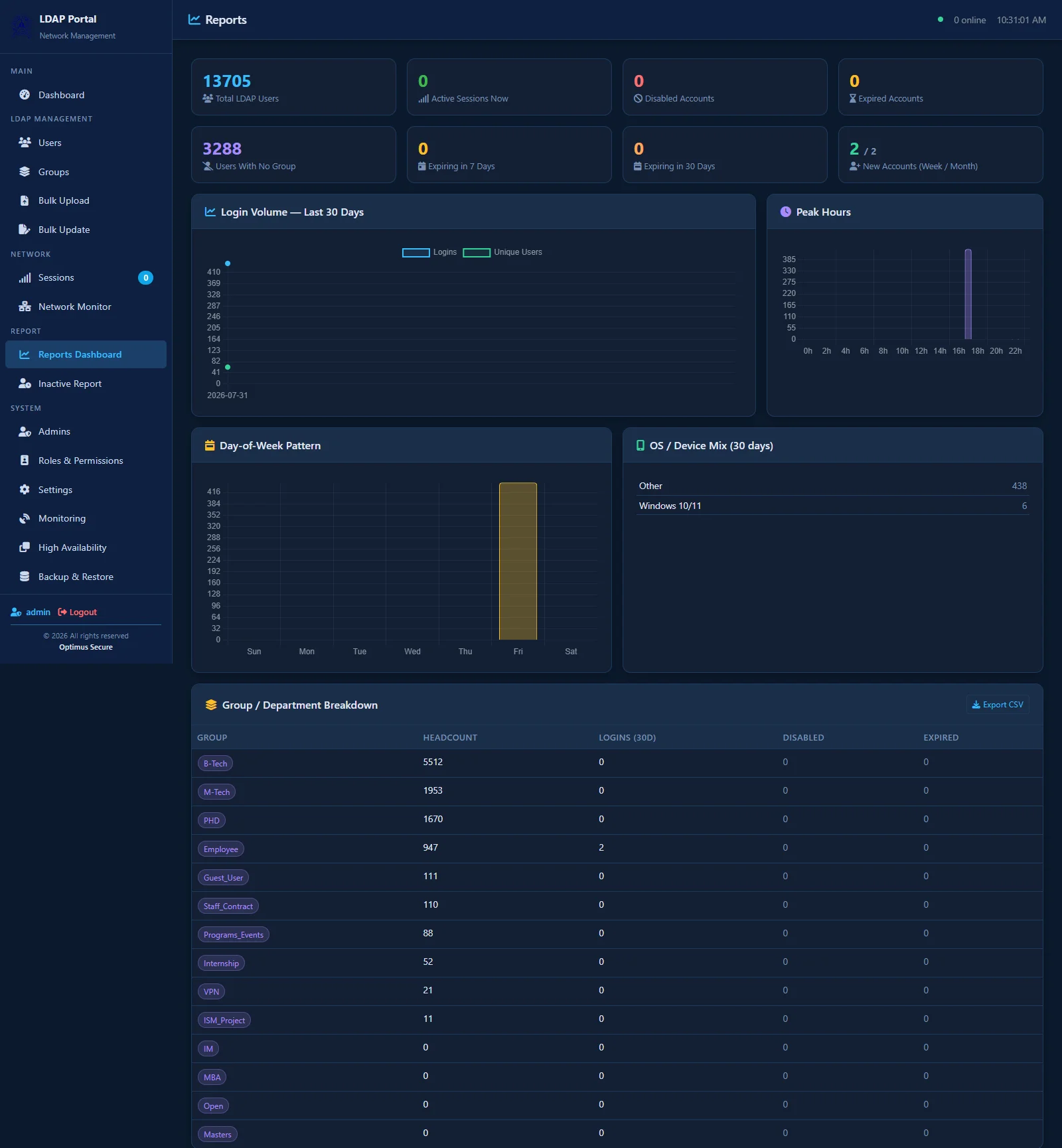
Automated reporting — login trends, peak hours and a full per-group breakdown, ready to export or email on a schedule.
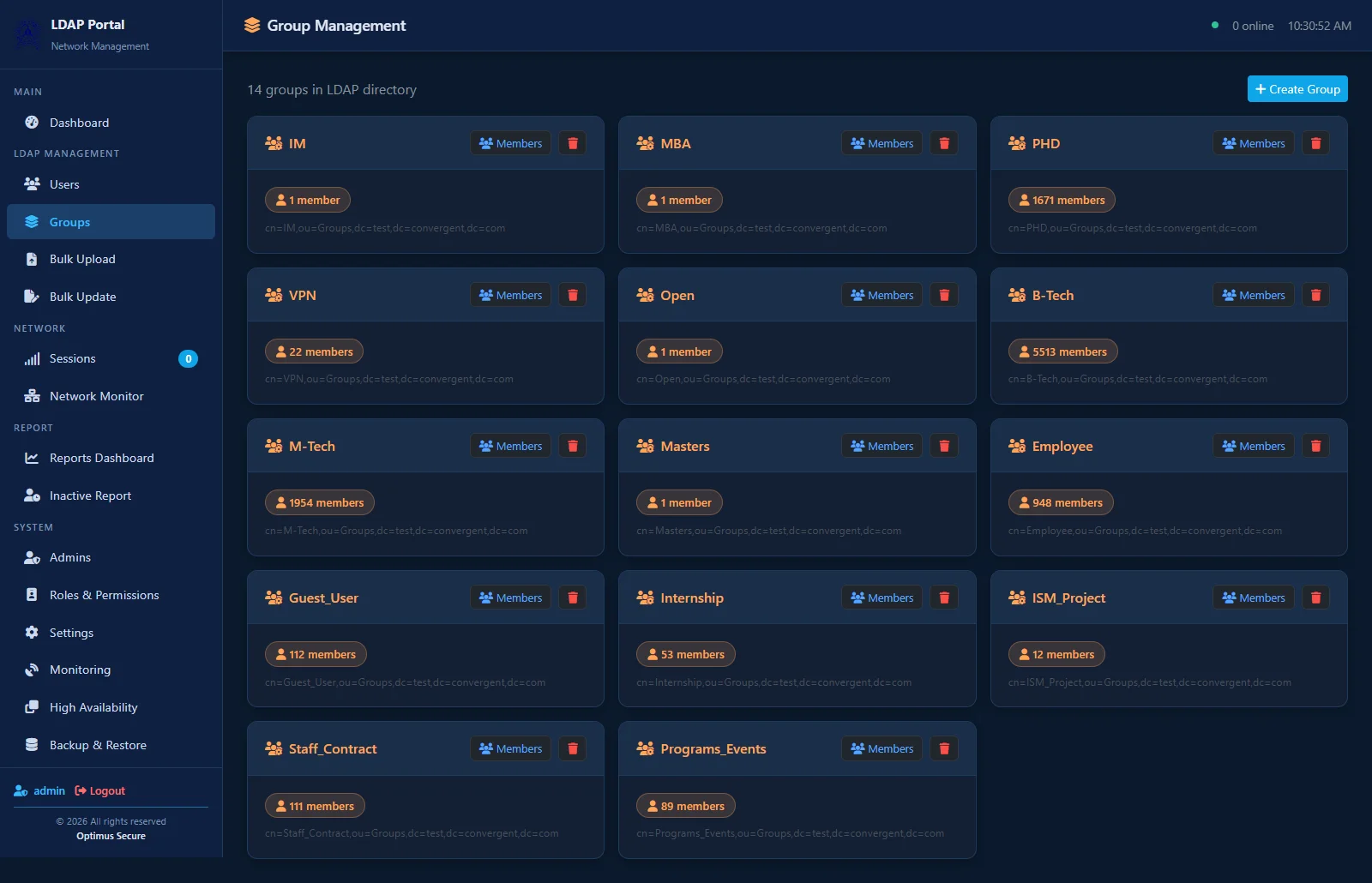
Group management with live member counts, straight from the LDAP directory.
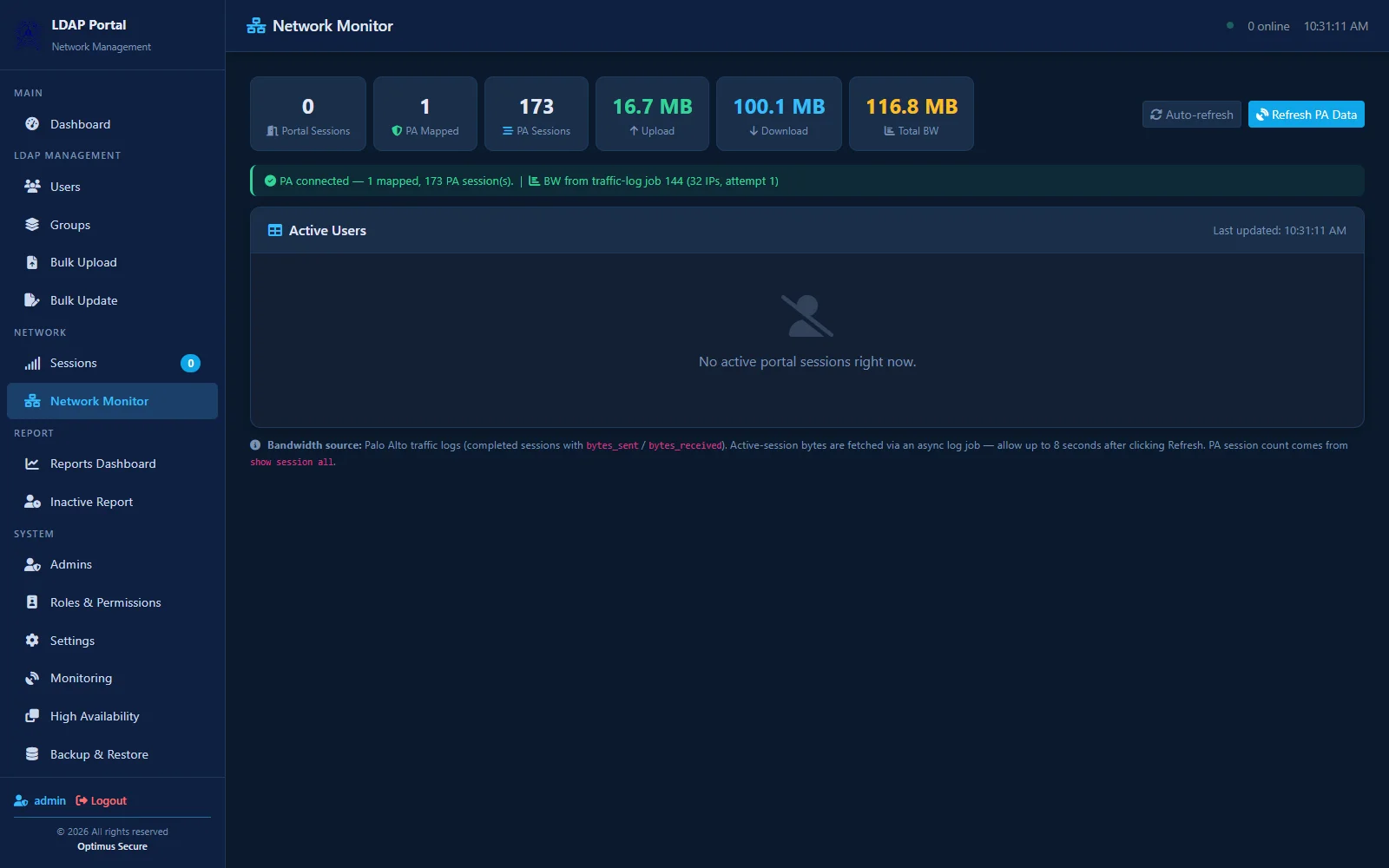
Live network monitor — Palo Alto session counts and bandwidth, refreshed in real time.
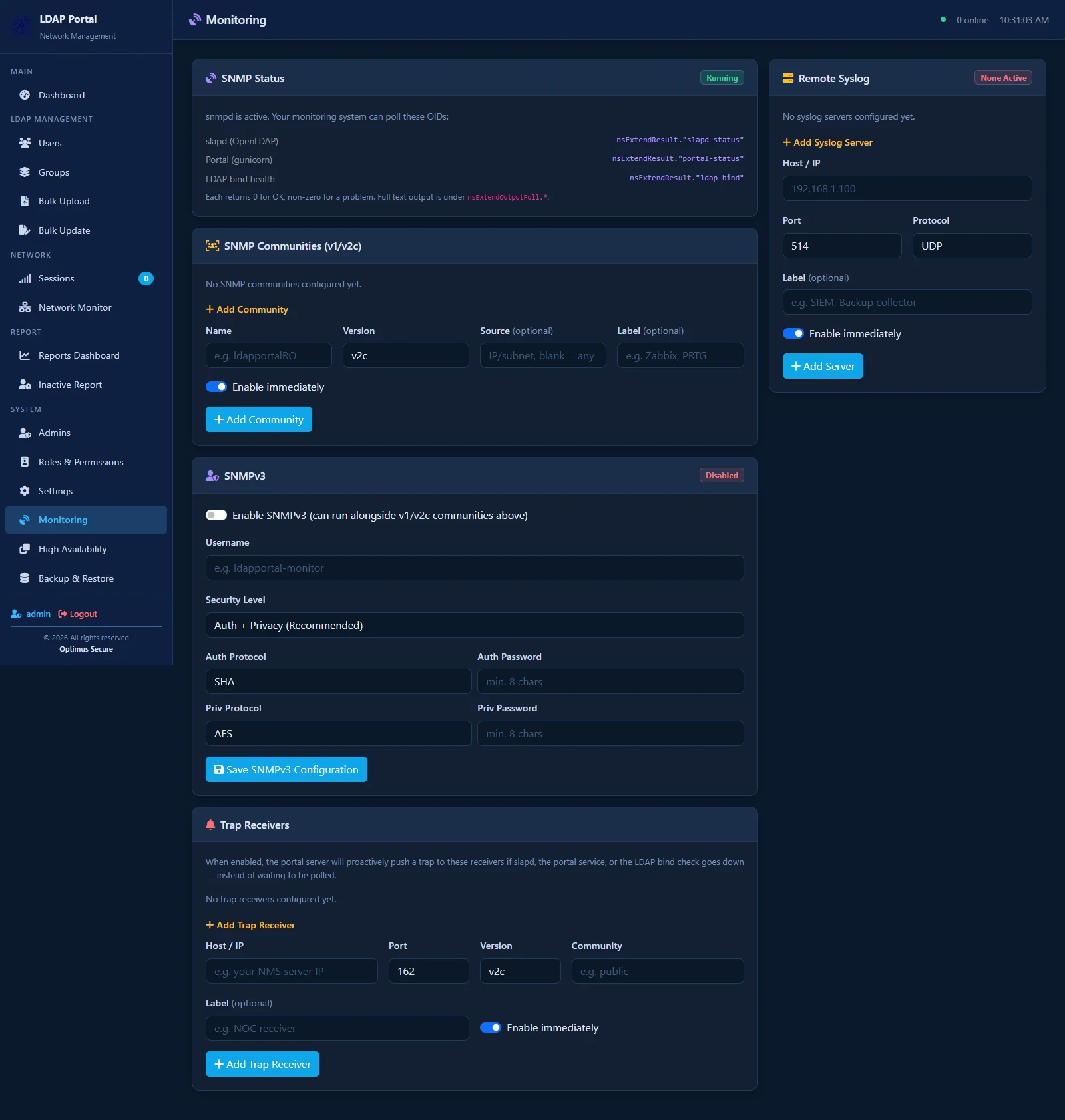
SNMP & syslog configuration for plugging straight into your existing monitoring stack.
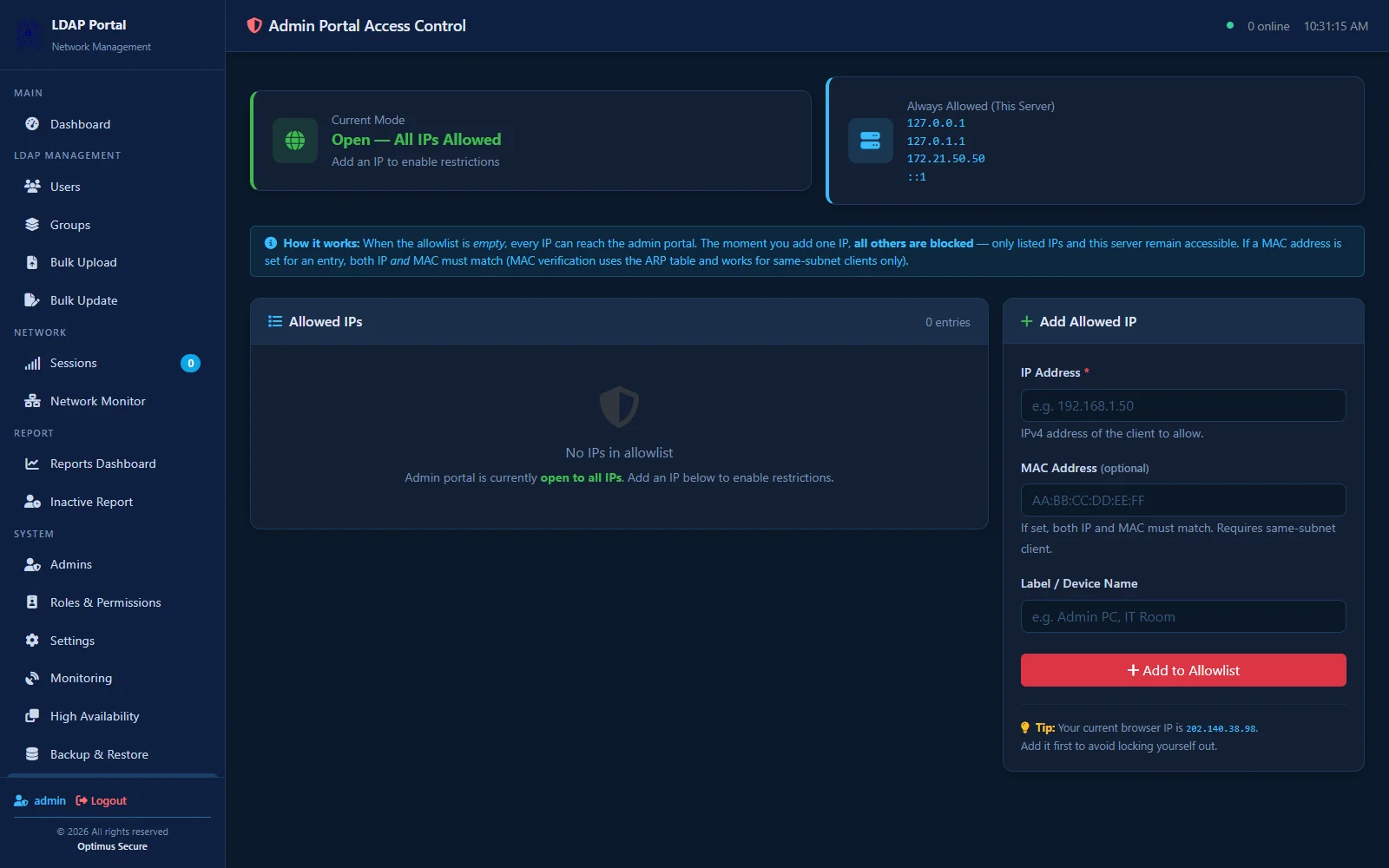
IP-allowlisted admin access, so the portal itself is locked down to trusted networks only.
Built For
Talk to us about deploying LDAP-Manager on your network — we'll walk you through it on your own infrastructure.