A branded captive portal, per-user speed and quota control, and an authentication log that remembers every device — managed from one dashboard.
Four steps the guest sees — and a complete record of each one for you.
The guest joins the SSID and lands on your terms page. Acceptance is recorded against the device MAC before anything else happens.
Credentials issued by your staff, a printed coupon, or a self-registered account — whichever channels you choose to switch on.
First-time users are forced to replace the issued password, with the strength policy checked live as they type.
The session is authorised on the gateway with the speed, quota and time limits of the plan attached to that account.
Speed tiers per account, not a single shared pipe everyone fights over.
Entry guest tier with a daily cap
Standard tier for staff and long stays
Day passes and short high-speed access
Premium and conference-grade access
Run 20 Mbps through the working day and open up to 100 Mbps after 6 PM, on the same plan. Time rules are evaluated continuously and pushed to the gateway automatically.
Daily download, upload, combined traffic and online-time limits. When a user hits the ceiling, disconnect them or drop them onto a slower plan — your choice, per plan.
Accounts and coupons carry their own validity — a one-day pass, a 90-day contractor account, or an unmetered permanent tier. Expired access stops working without anyone remembering to remove it.
Upload a spreadsheet of users against a plan and a group, using the template the console hands you. Generate coupon batches for the front desk with expiry dates already attached.
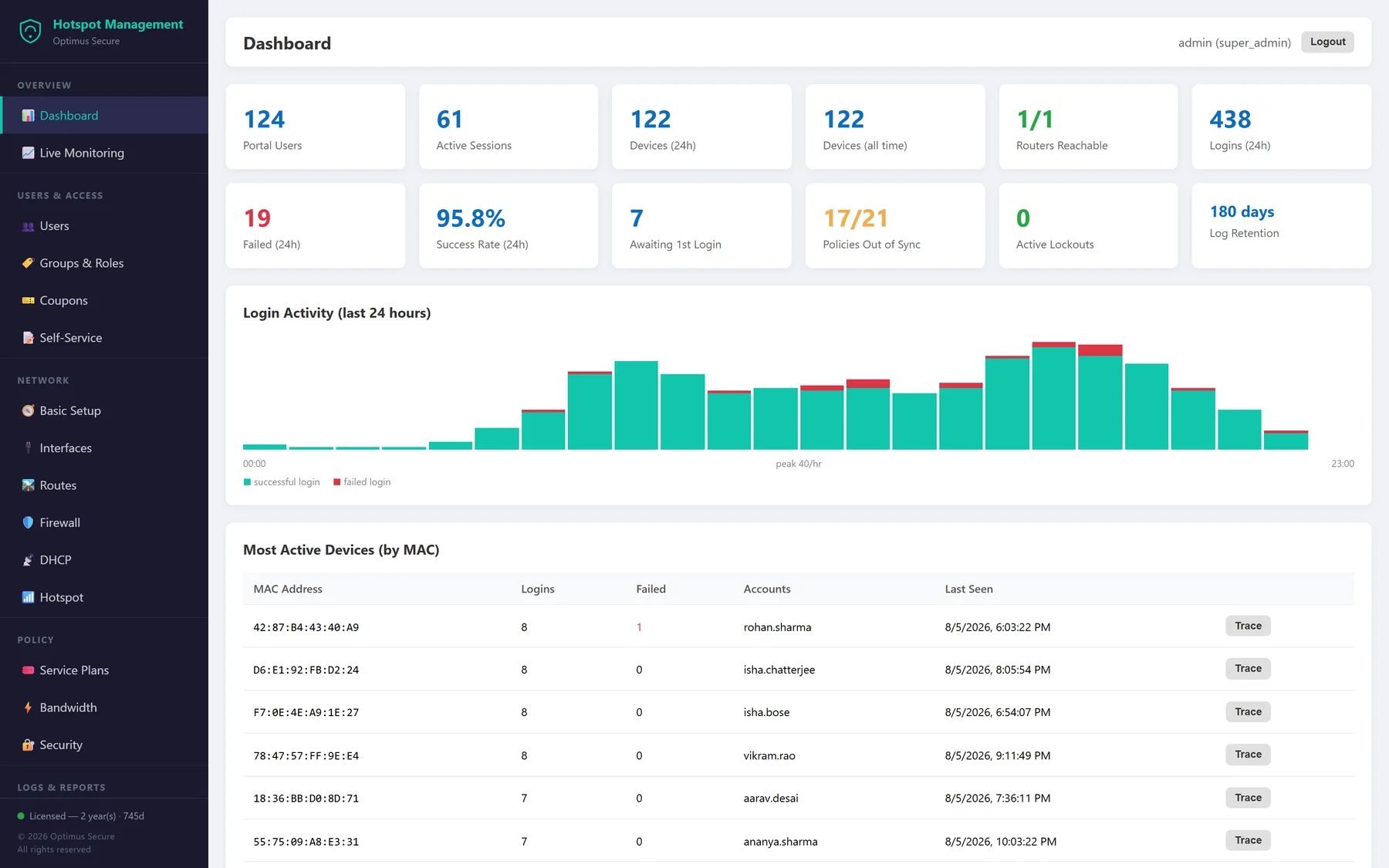
Real screens from a running Hotspot Management deployment.
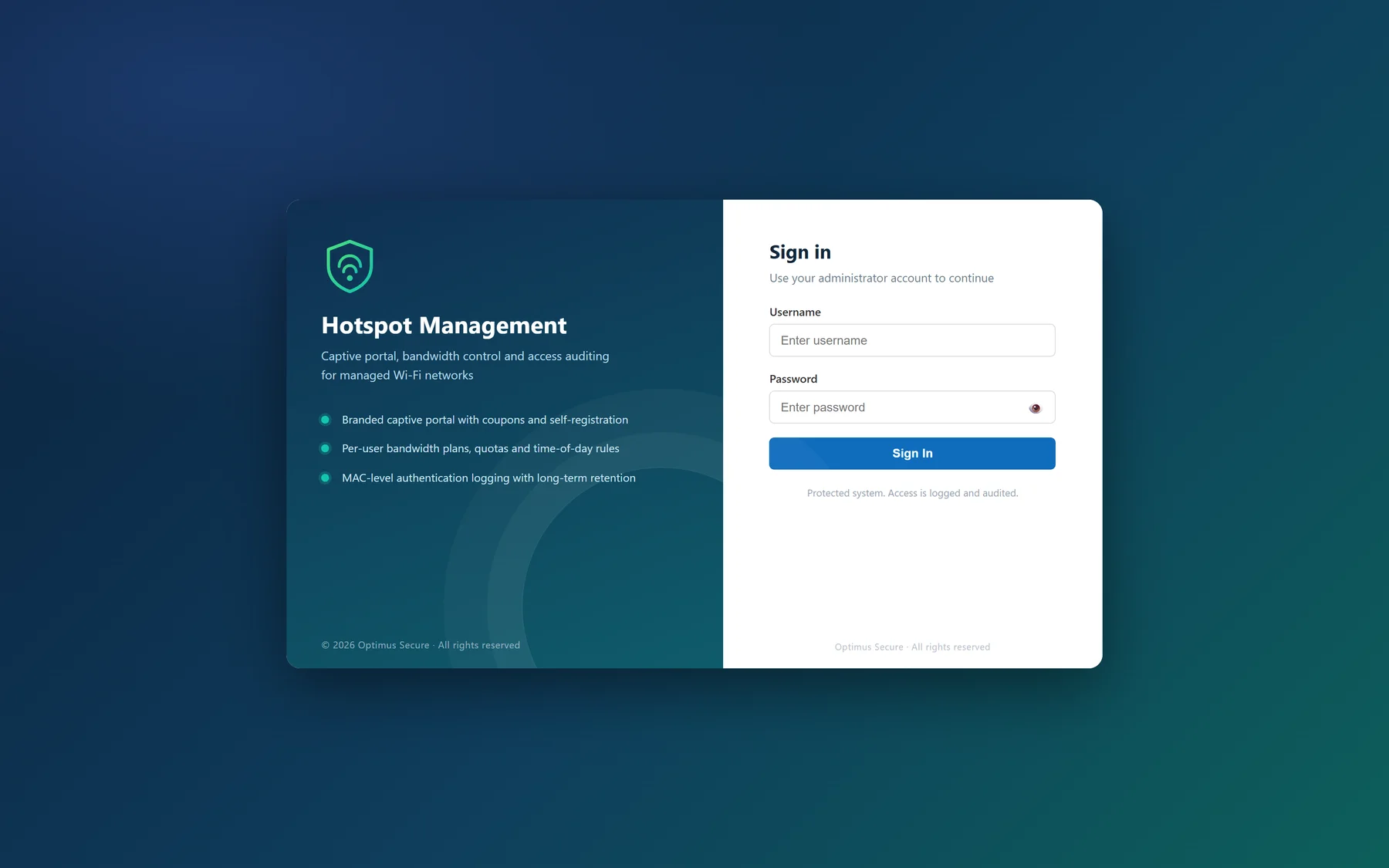
The administrator sign-in — every access attempt is logged and audited.
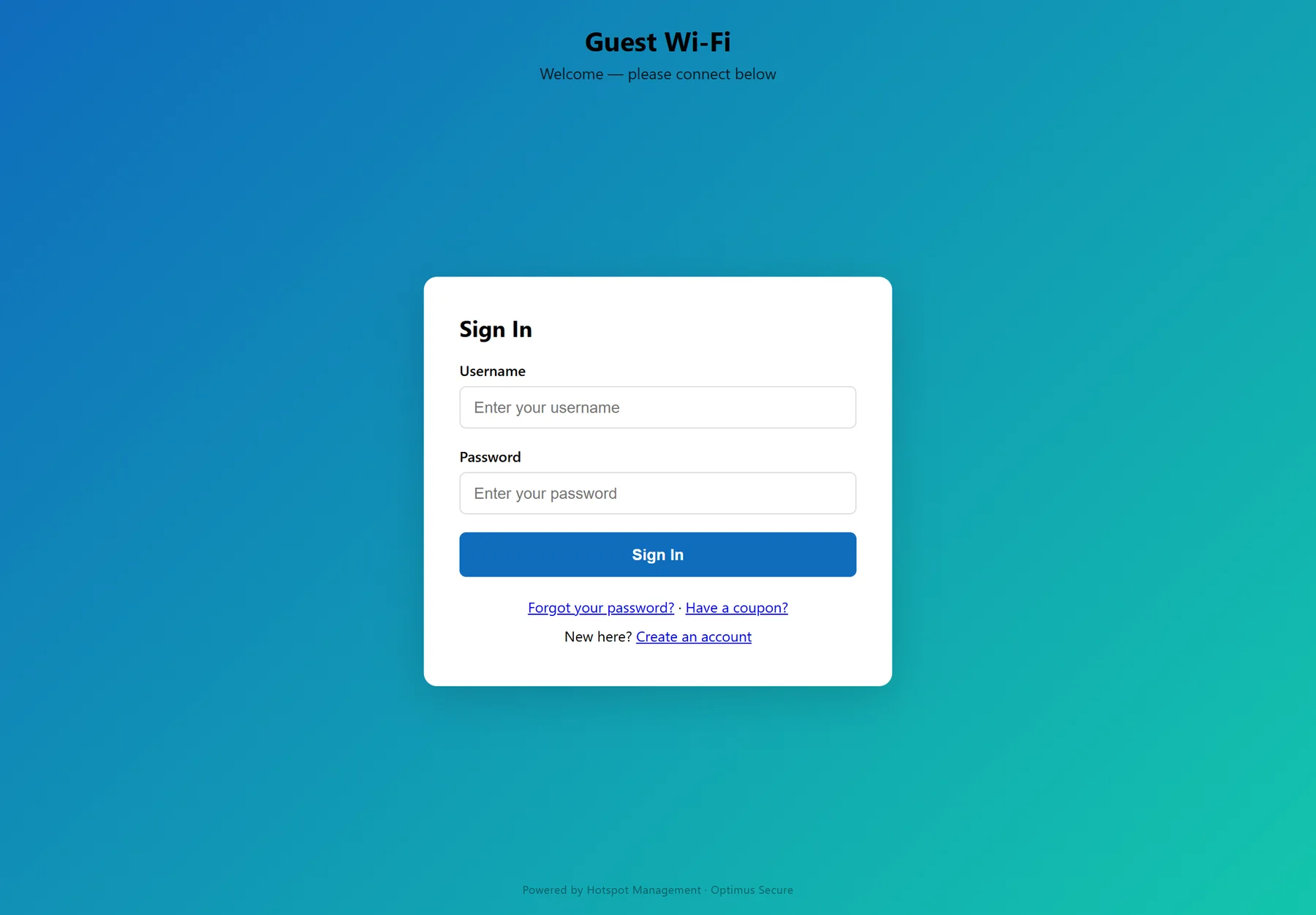
The guest-facing portal, carrying your logo, colours and terms — with each self-service link switched on or off from branding.
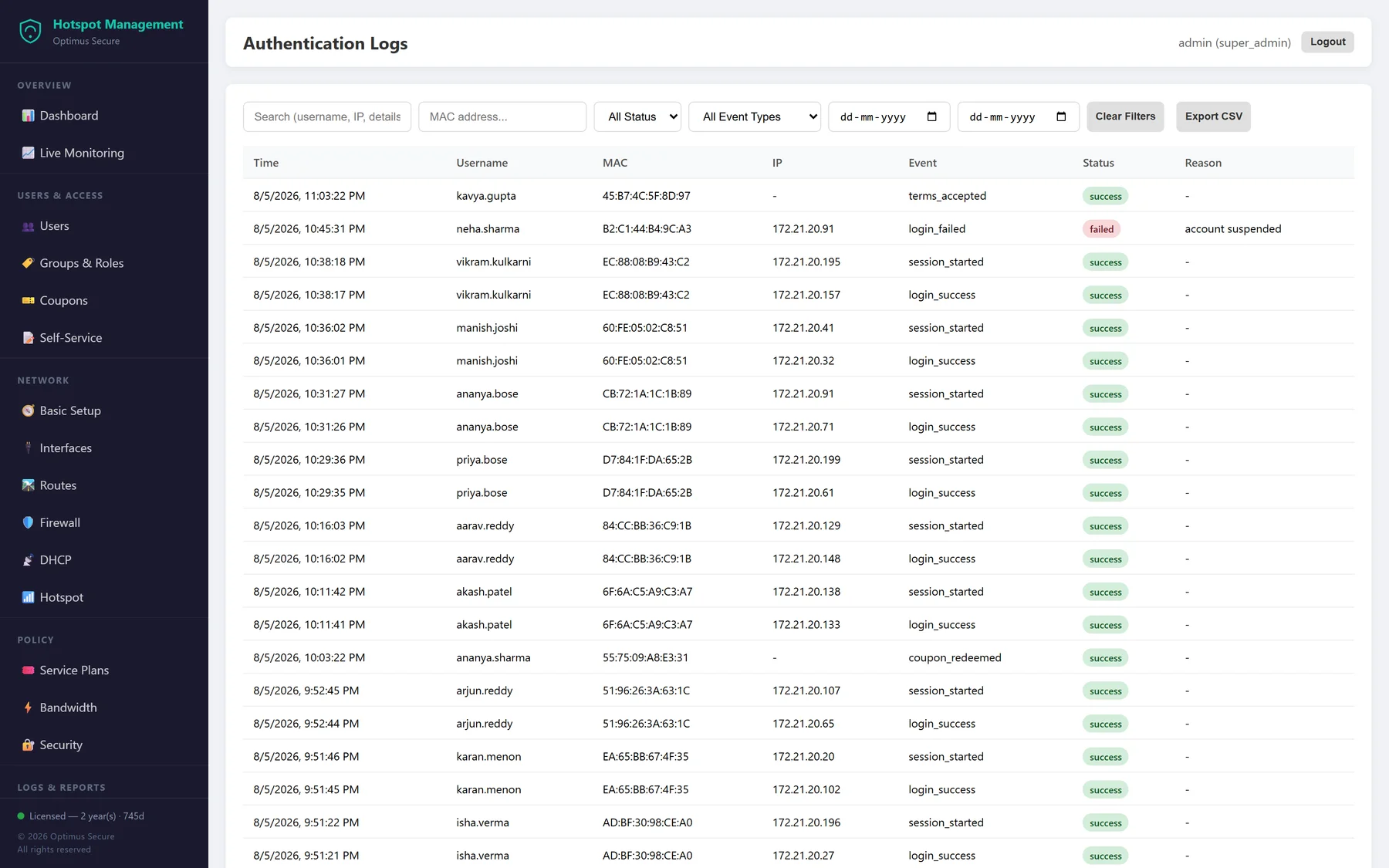
Every login, failure, session and coupon redemption — searchable by user, MAC, IP, event type and date, and exportable to CSV.
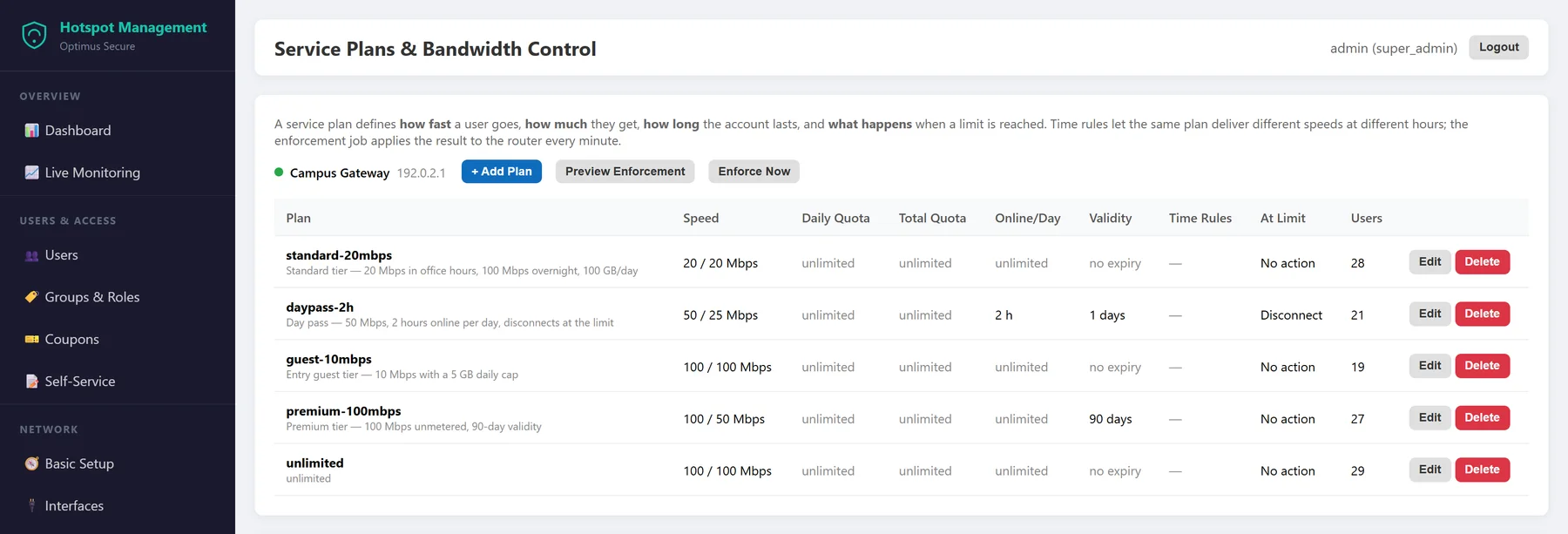
Service plans in one table — speed, quota, validity and what happens when a limit is reached.
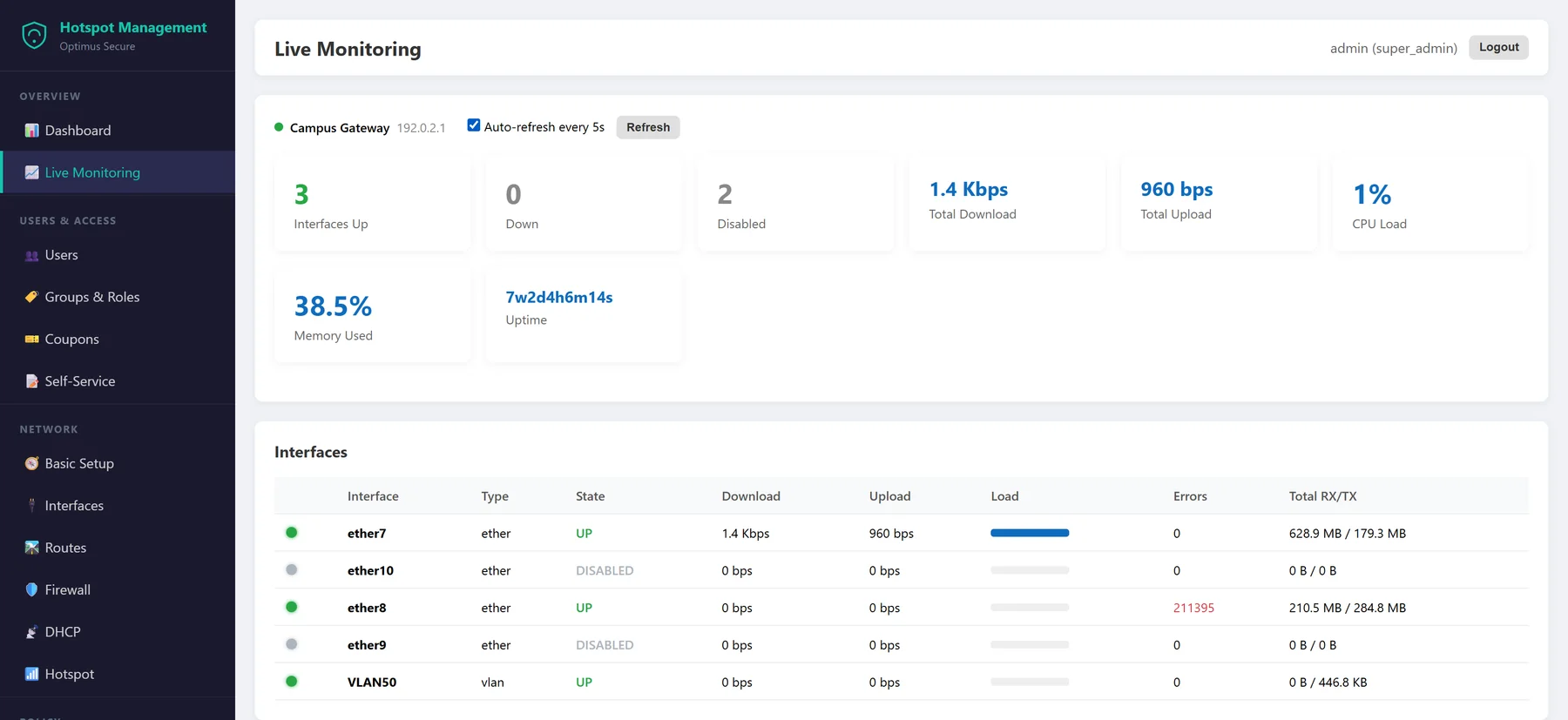
Live interface status and throughput — up in green, down in red, and the busiest links called out.
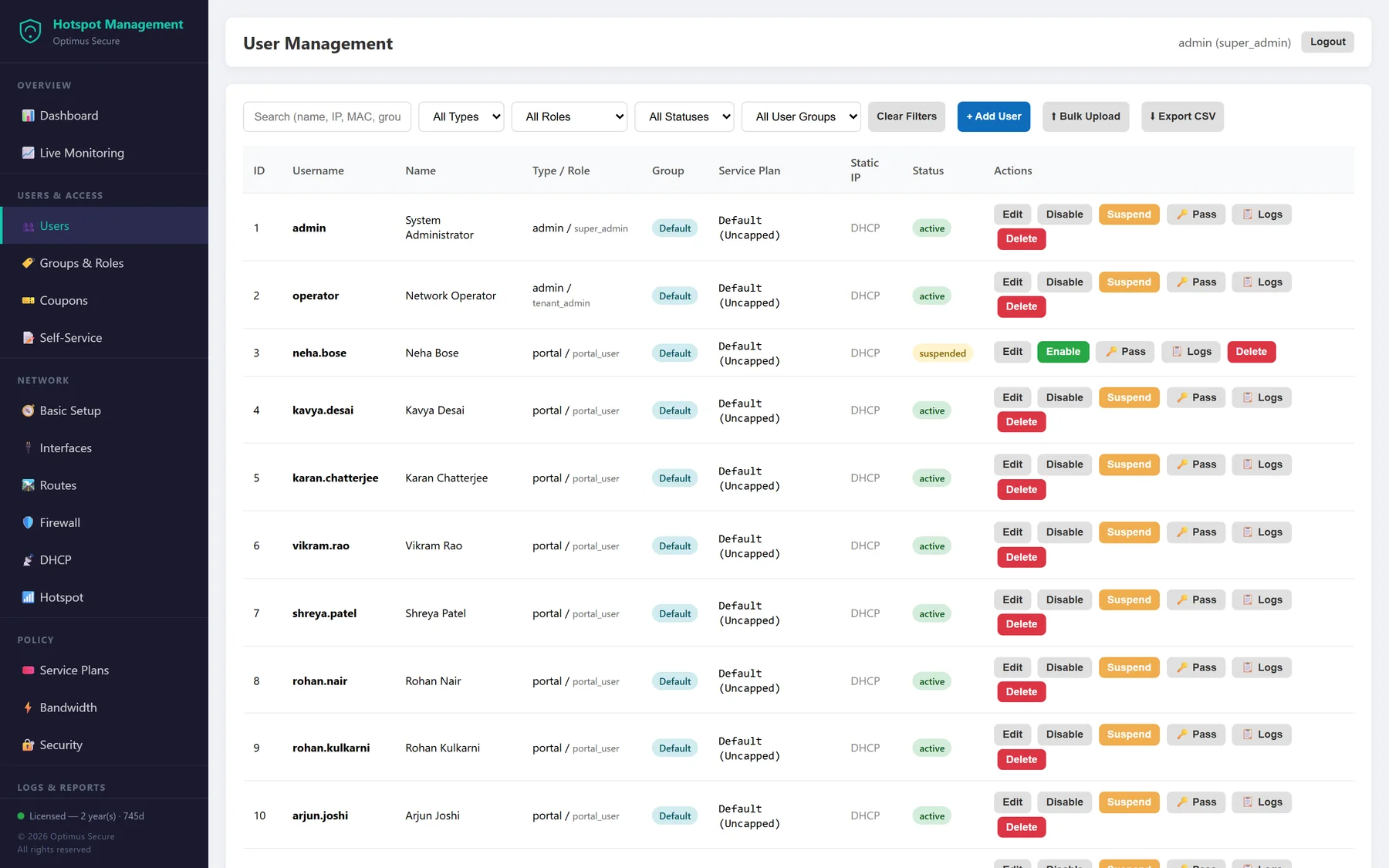
Accounts, groups and plans together, with bulk upload for onboarding a whole intake at once.
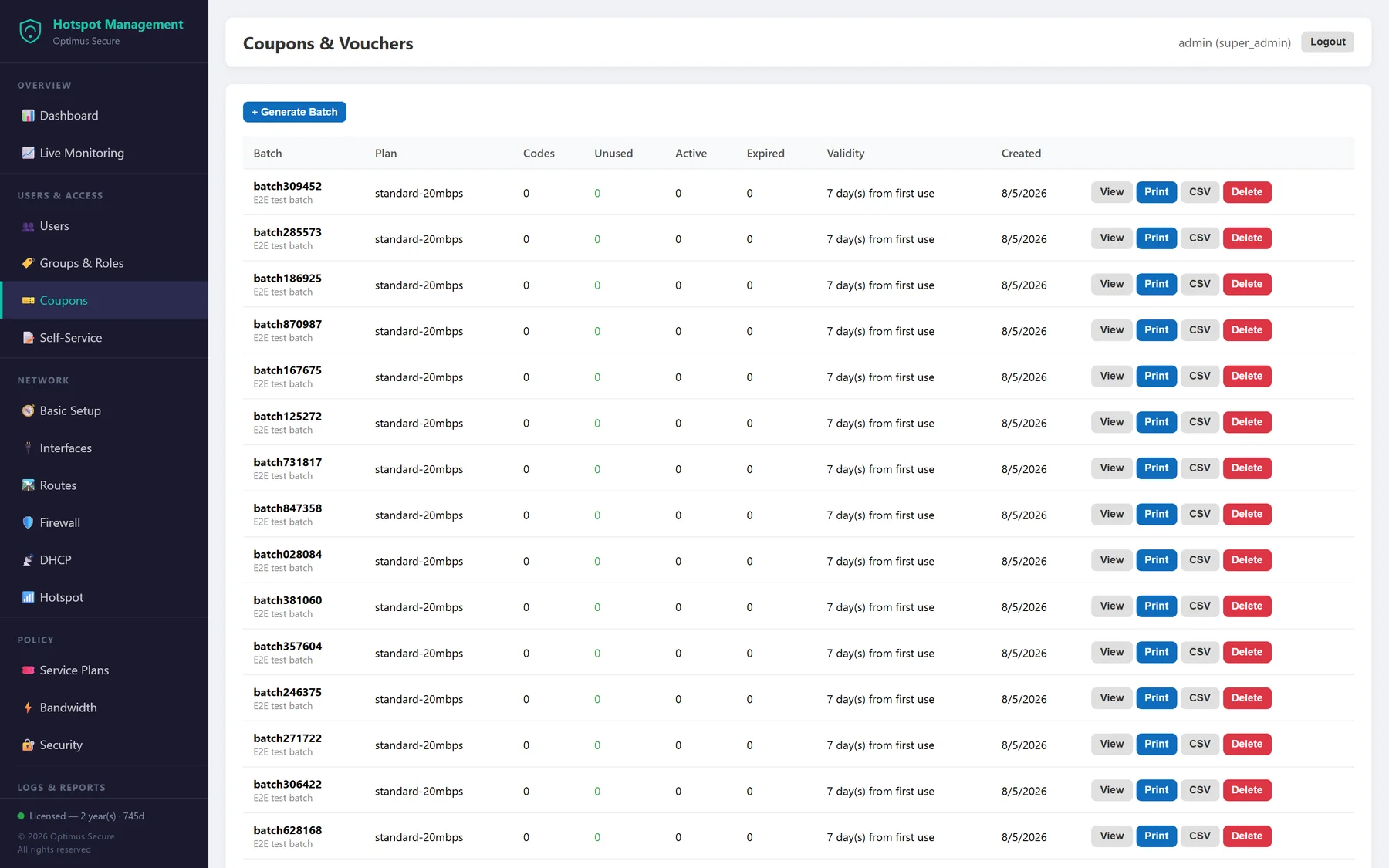
Printable coupon batches with expiry built in, so unused codes age out on their own.
Not just a portal bolted onto someone else's router — the gateway configuration lives here as well.
Search and reorder firewall rules by dragging them into priority, clone a rule set rather than retyping it, and assign VLANs and addresses to interfaces from the same console.
Pools per interface, static address reservations for printers and access points, and a live lease table — with cloning for repeated configuration.
MAC cookies return a known device straight to the network without a second login, while MAC and IP bypass lists let printers, CCTV and payment terminals skip the portal entirely.
SNMP v2c and v3 with read and write communities, syslog forwarding to several collectors with per-facility selection, plus scheduled configuration backups you can download or restore.
Follow a single MAC address across every account it has ever used, every IP it has held and every session it has opened — the question a compliance request always starts with.
Front desk issues coupons, the network team touches the firewall, and only an administrator changes policy. Permissions are granular, and every action lands in the audit log.
Indian public Wi-Fi operators are expected to produce user access records long after the guest has gone. Retention is a setting, not a rebuild.
Default retention for authentication records
Extended retention for stricter policies
Long-term retention where the contract demands it
| Deployment | On-premise on your own server, or hosted by us. One gateway per installation. |
|---|---|
| Guest onboarding | Staff-issued accounts, printed coupon batches, and optional self-registration with verification or administrator approval |
| Bandwidth control | Per-user download and upload ceilings, daily and total traffic quotas, online-time limits, time-of-day rules, and plan switching at the limit |
| Access records | Username, MAC address, IP, event type, result and reason — searchable, filterable and exportable to CSV |
| Retention | 180 days by default, extendable to 360 days or two years |
| Branding | Your logo, colours, portal title, terms text and self-service links — uploaded and edited in the console |
| Administration | Multiple administrators with role-based permissions, account lockout policy and a full audit trail |
| Monitoring | Live interface status and throughput, top utilisation, device health, SNMP v2c/v3 and syslog forwarding |
Built For
Talk to us about deploying Hotspot Management on your network — we'll walk you through it on your own infrastructure.