Nestora runs a PG, hostel or co-living building end to end — beds and residents, rent and deposits, the kitchen and its stock, staff attendance, and an app the residents actually use. One system instead of four registers and a WhatsApp group.
15 days, every feature switched on, no card. Your account is ready in about a minute.
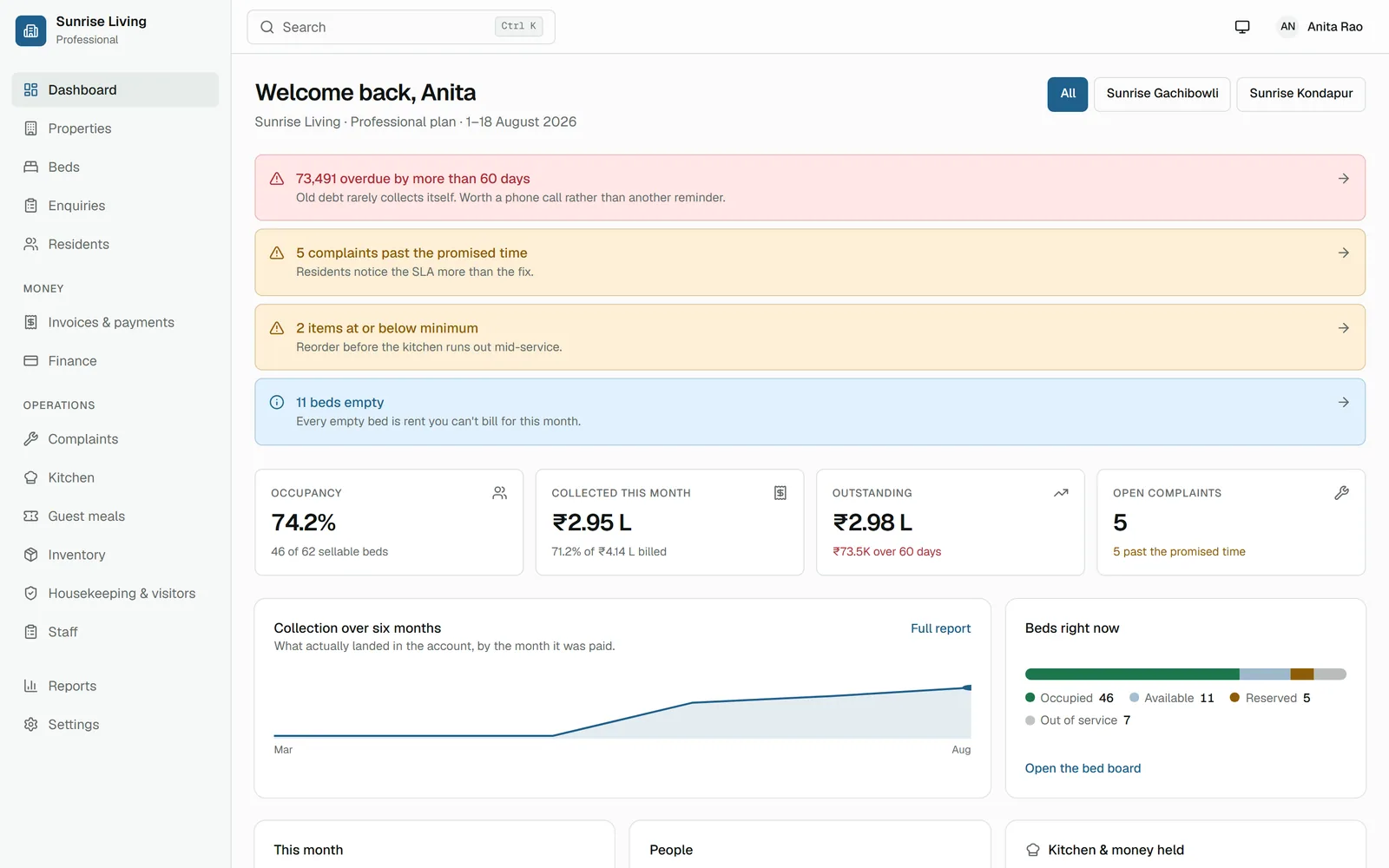
Built around how a building is really run — not a list of modules nobody opens.
Buildings, floors, rooms and beds on one board, colour-coded free, held, taken, blocked or under repair — with the occupancy percentage worked out for you. Block a bed for a repair and it stops being sellable until you say otherwise.
Enquiry to registration to a bed, then check-in, notice period and checkout — with the deposit settled and the final bill worked out at exit. Nothing is typed twice: converting an enquiry carries the details across.
Monthly billing for the whole building in one run, part-payments, late fees, credit notes and refunds — each resident with a ledger that balances. Every figure is money the system can account for, not a number in a notebook.
Meal types, menus and recipes. Close a day's cooking and the exact recipe quantities leave the store, the leftovers are logged as wastage, and you get a real cost per meal — not an estimate at the end of the month.
Raise a purchase order, receive the goods, and the stock goes up and the expense is posted in the same step — so the store and the accounts can never tell you two different stories about the same sack of rice.
Staff check in from their own phone, inside a geo-fence you draw around the property. Faked locations and stale GPS fixes are refused, marking somebody present by hand needs a reason, and that reason shows on the monthly report.
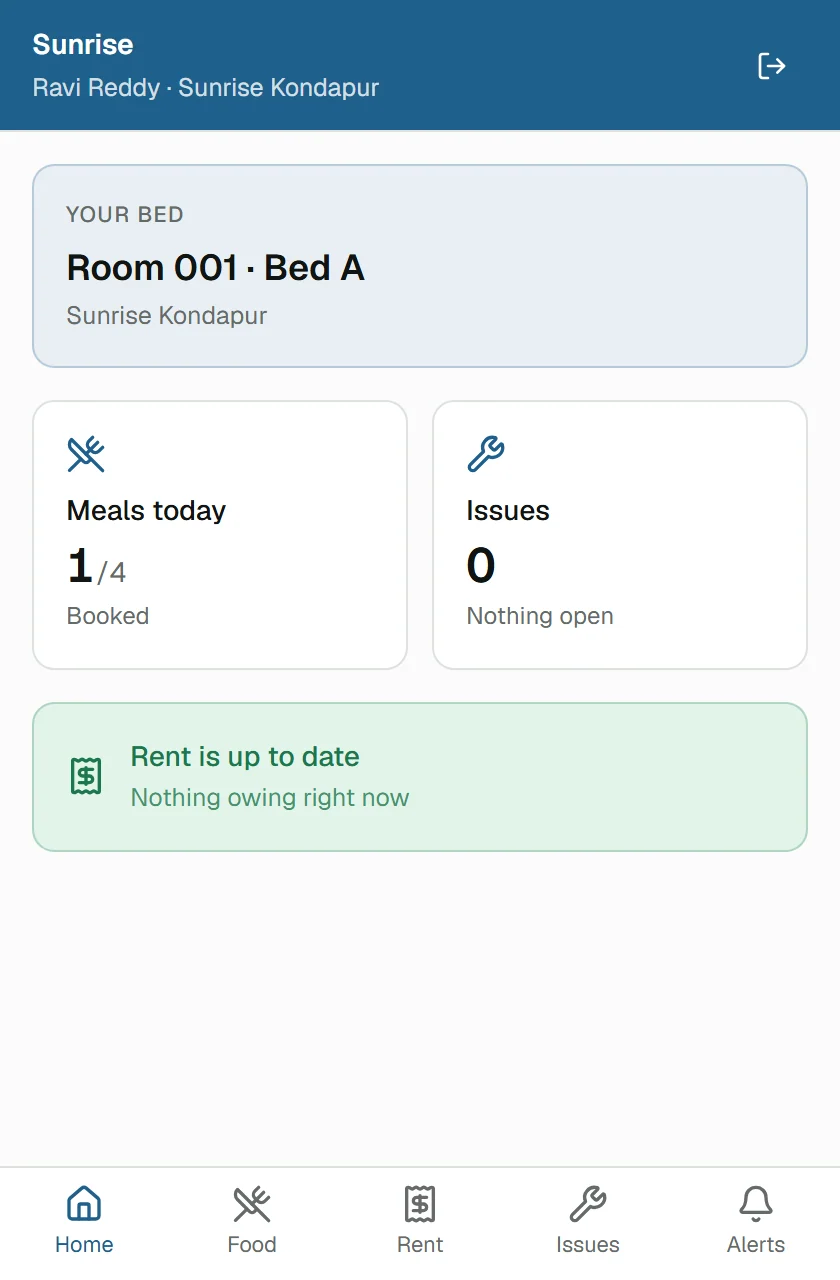
Residents mark the meals they will eat, see what they owe and report a problem from their phone — no app store, it installs from the browser. The kitchen gets a real count the night before instead of cooking for a guess.
Print a poster with your own logo and put it at the gate. A visitor scans it, books a meal, pays, and shows a collection code at the counter — no app and no account. The code works exactly once.
Your logo and colour across the console, the resident app and every document you issue — on every plan, not as an upgrade. Change your logo and it follows everywhere, while bills already issued keep the brand they went out with.
The same four things happen in every building, every day. Nestora is built around them.
The enquiry is logged, followed up, and becomes a resident without anyone retyping it. Pick a free bed on the board and they are allocated, with the agreement and the deposit recorded.
Rent is raised for the whole building in one run, pro-rated for anyone who joined mid-month. Payments, part-payments and late fees land on each resident's ledger as they happen.
Residents mark their meals from the app, so the count is known the night before. Closing the run takes the ingredients out of the store and prices the meal from what they actually cost.
Notice is recorded, the exit date is known, and checkout settles the deposit against the final bill and any damages. The bed goes back on the board the moment they are out.
Why the geo-fence has a soft edge
GPS drifts indoors, so a hard boundary tells staff standing at the gate that they are not there. Nestora accepts a check-in inside the circle, accepts one in the band just outside it but flags it for review, and refuses anything beyond — and it records the distance that justified each decision, so a disputed day can be settled with evidence rather than memory.
Why one PG can never see another
Separation is enforced inside PostgreSQL with row-level security, not only in application code. Every tenant table carries its owner and the database refuses to return anybody else's rows — so a mistake in a query cannot leak one customer's residents into another customer's screen.
Why the kitchen and the accounts agree
Receiving goods adds the stock and posts the expense in a single step, and closing a production run deducts exactly what the recipe called for. The store and the ledger are two views of one set of movements, so they cannot drift apart between month ends.
Why the money adds up
Rent, taxes, discounts and pro-rata shares are worked out at full precision and rounded once, at the end. That is the difference between a ledger that balances and one that is off by a rupee a month until somebody has to explain it.
Real screens from a live Nestora deployment.
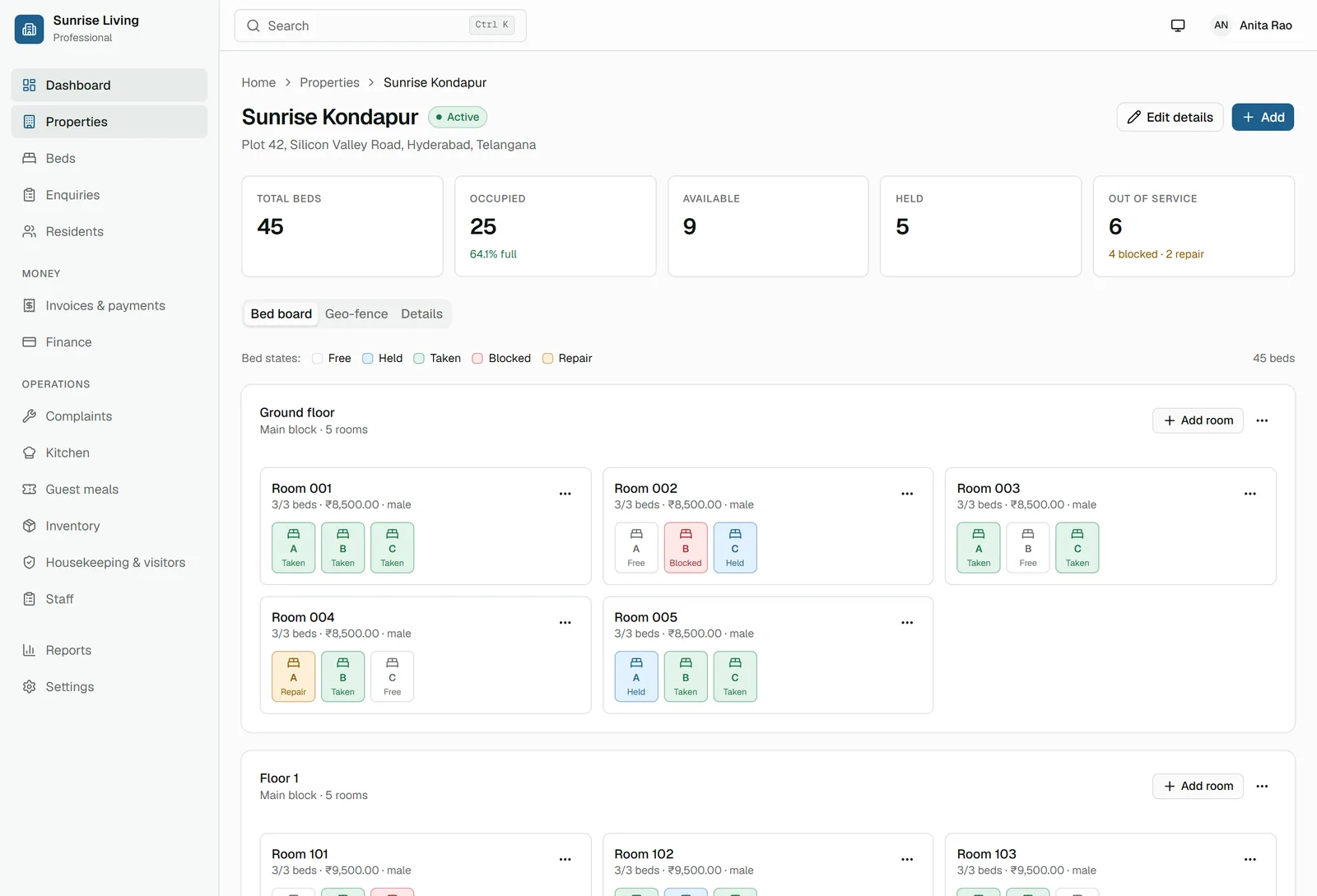
The bed board — every bed in the building, and what is happening to it.
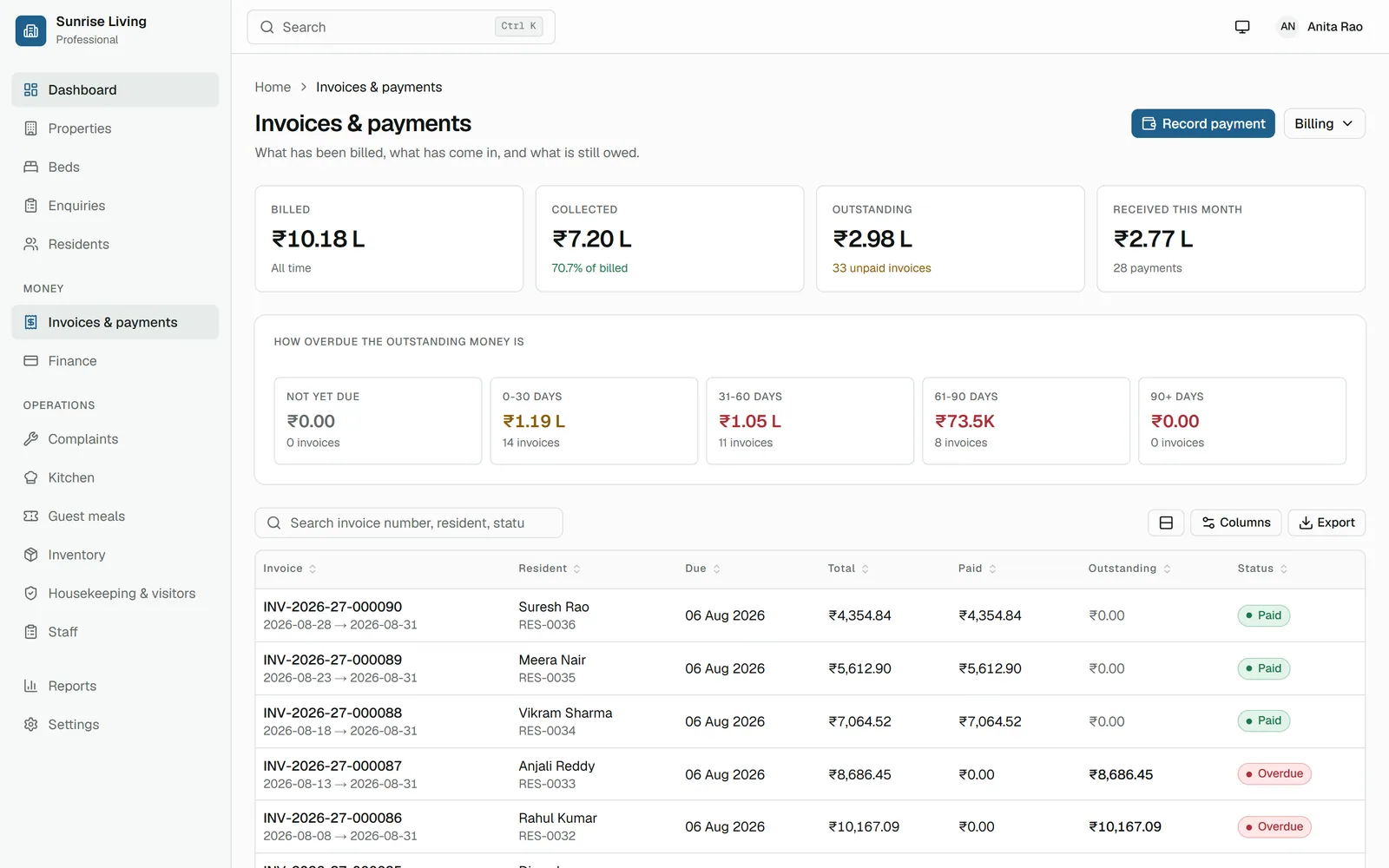
Rent and dues, with every invoice traceable to a payment.
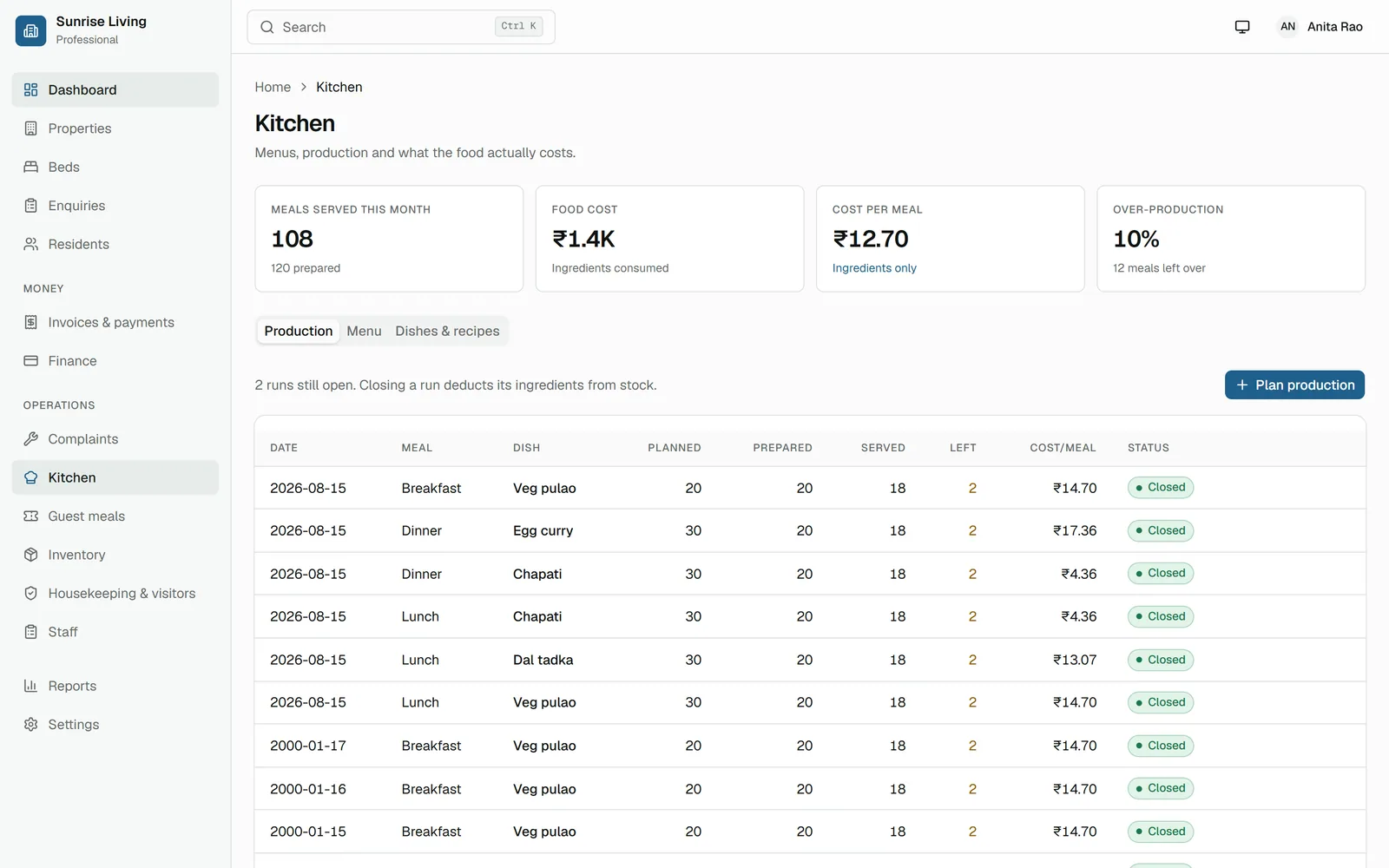
The kitchen — what is being cooked, and what it costs.
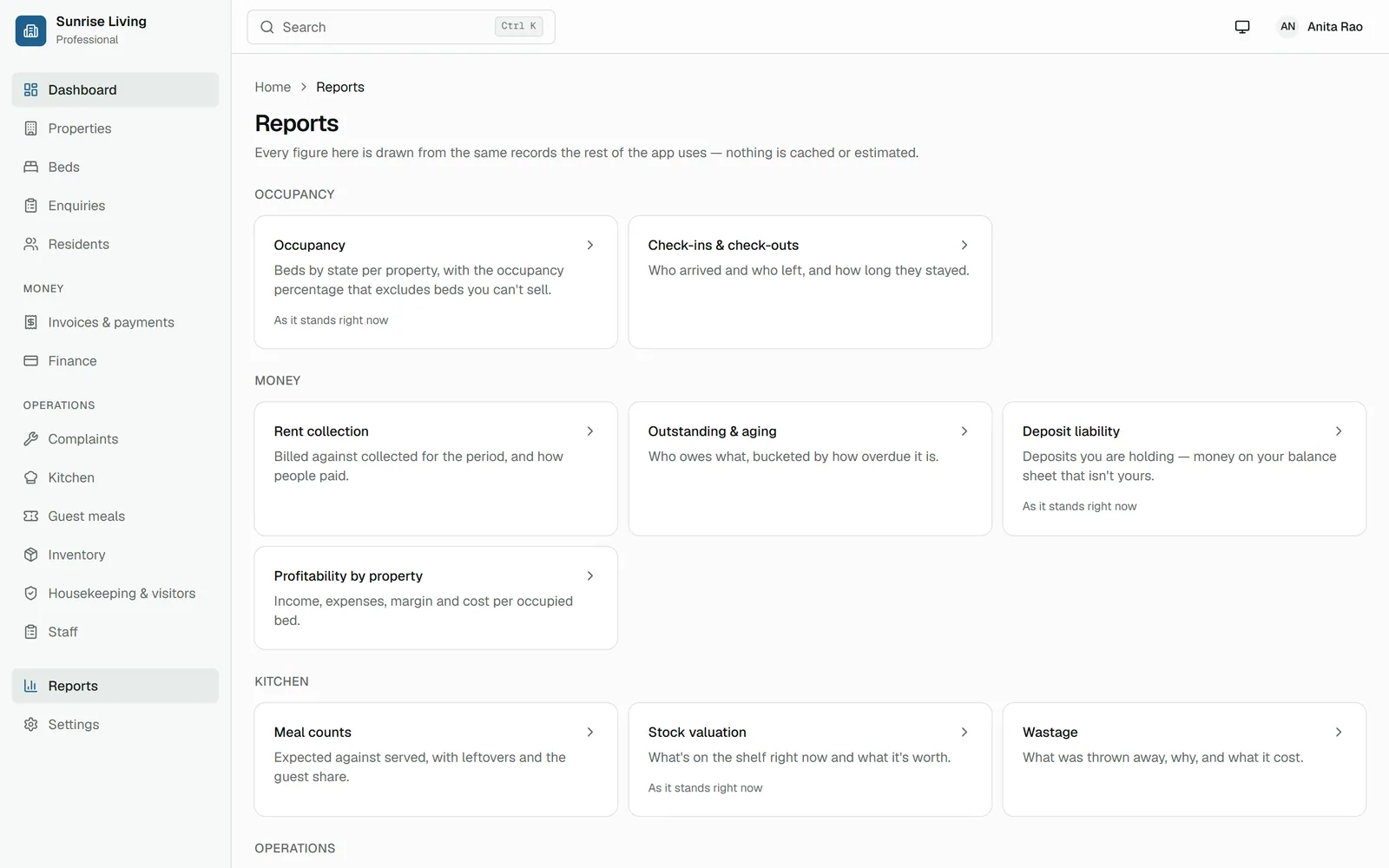
Reports on occupancy, collection, food cost and attendance — exportable.
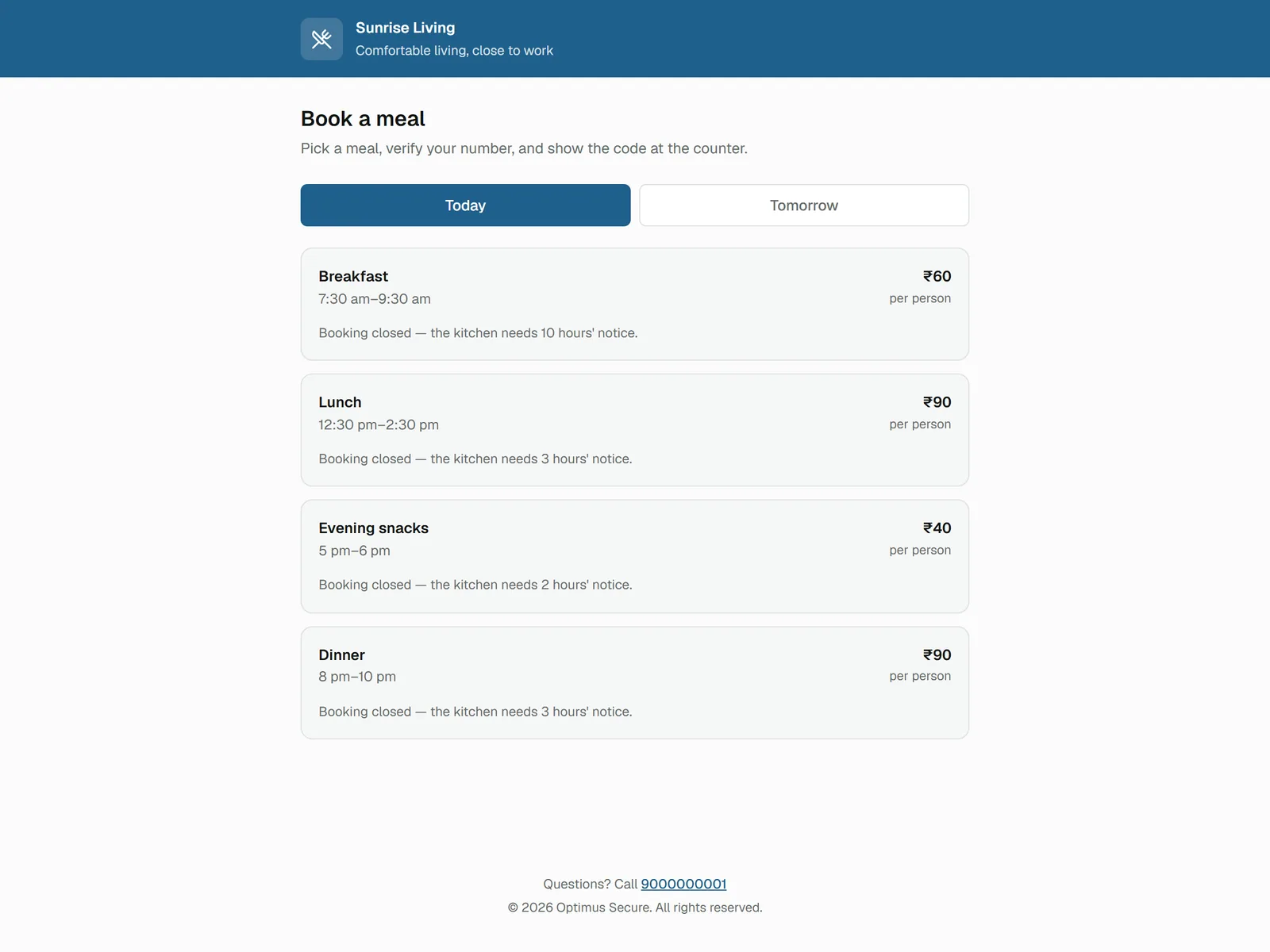
The guest page a visitor reaches by scanning the poster at your gate.
Residents open Nestora from their phone browser — there is no app store, and nothing to install. They mark the meals they will eat, see what they owe and report a problem in the room, and staff check in for their shift from the same place.
Because meals are marked the night before, the kitchen cooks to a real count instead of a guess — which is where most of the food waste in a PG comes from.
Built For
Start a free 15-day trial with every feature switched on — your name, your logo, your rooms. No card, and nothing you set up is thrown away when the trial ends.