DHCP Server is a clean web console for the industry-standard ISC Kea DHCP engine — subnets, live leases, reservations, access control, backups and diagnostics in one place. A single command installs Kea and every dependency for you.
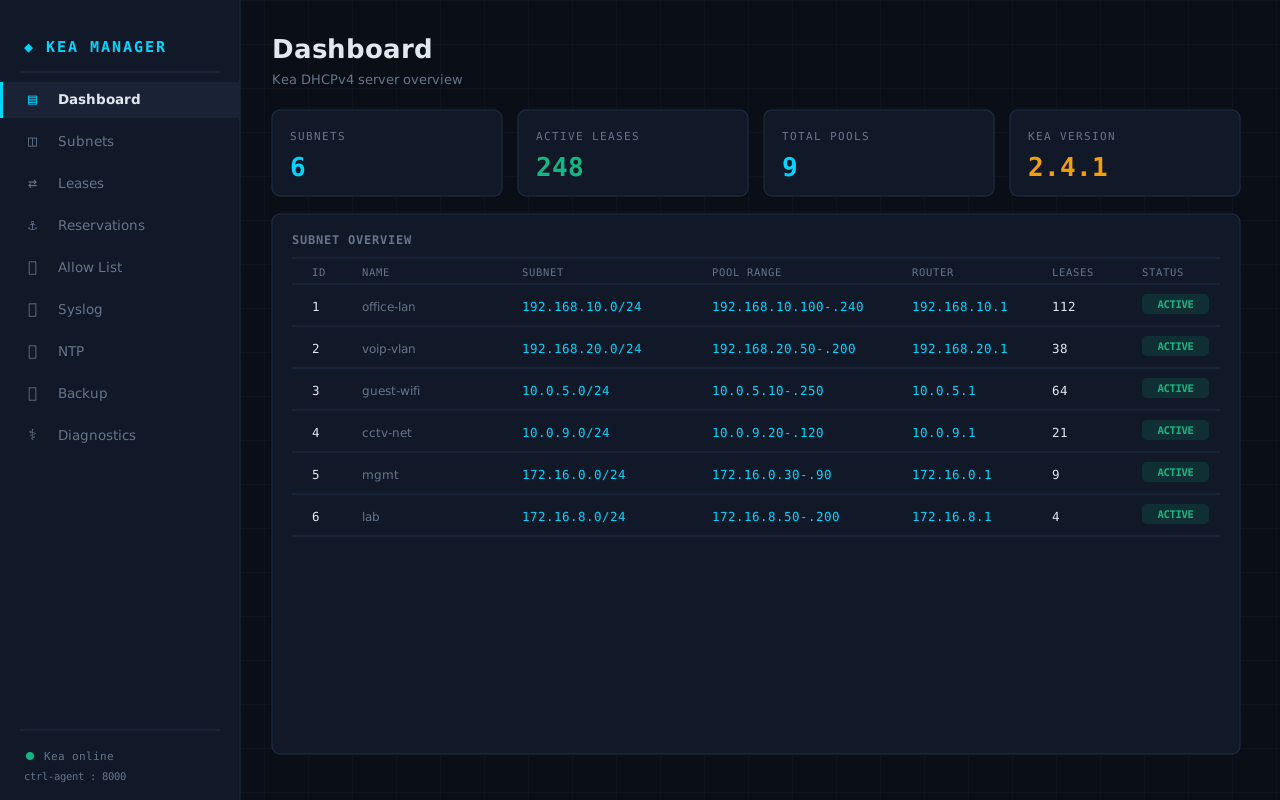
Nine management modules — all included, no paywall, no add-ons.
At-a-glance counts for subnets, active leases and pools, the running Kea version, and a per-subnet overview with real-time lease counts.
Create, edit and delete IPv4 subnets with pools, routers, DNS and lease options — changes are pushed to Kea and persisted instantly.
Search live leases by IP, MAC or hostname and release any lease in one click, straight from the Kea lease database.
Pin a fixed IP to a MAC address. Add, edit and remove host reservations per subnet with instant validation.
Lock the console to approved IP addresses. Anyone outside the list is blocked at the door — localhost is always trusted.
Forward DHCP events to a central syslog server, with a built-in test button to confirm delivery before you commit.
Configure the server's time source from the UI so lease timestamps and logs always line up.
Download a full Kea configuration snapshot and restore it later — safe rollbacks before every risky change.
One page that health-checks Kea, the control agent and sockets, and tells you the exact cause when something is wrong.
On a fresh Ubuntu server — Kea, all dependencies and the GUI, done for you.
Then open http://your-server:5000 and sign in. Full steps in the user guide.
The real console — dark, fast and readable at a glance.
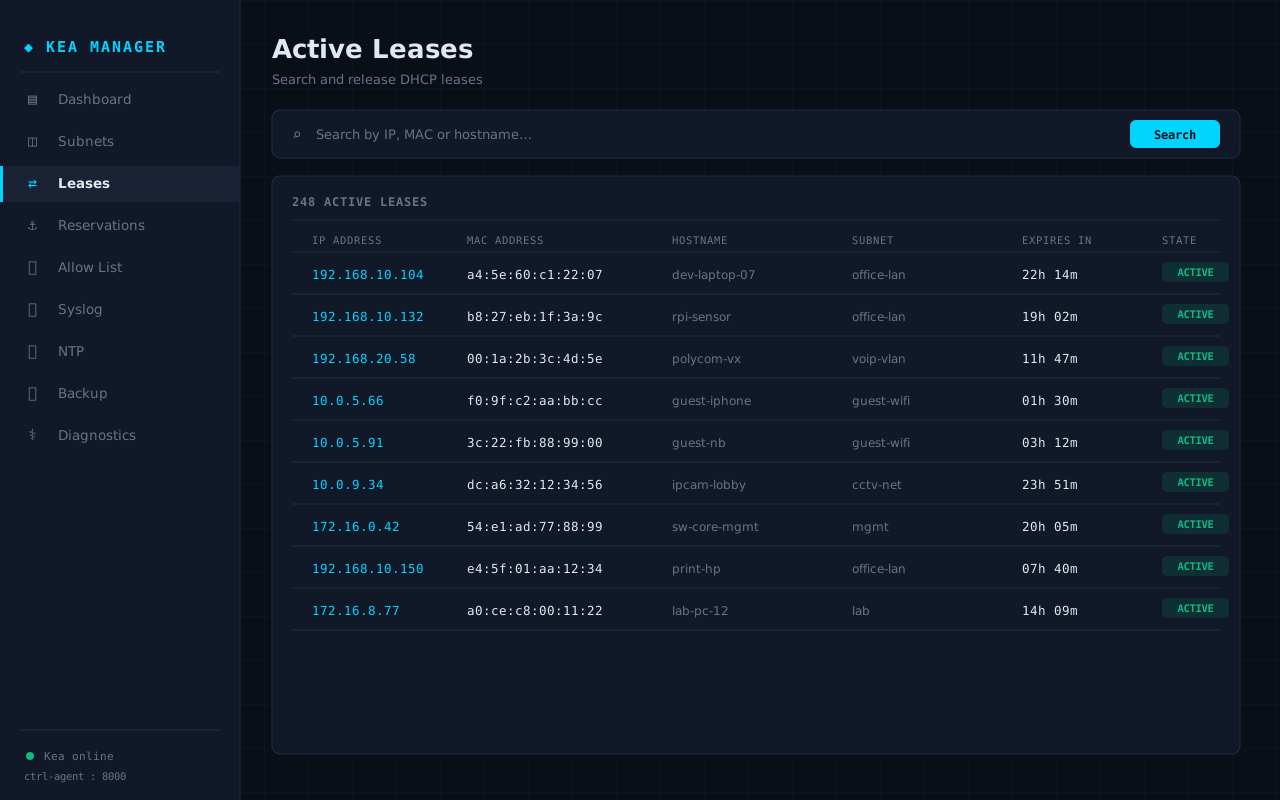
Active leases — search by IP, MAC or hostname and release any lease in a click.
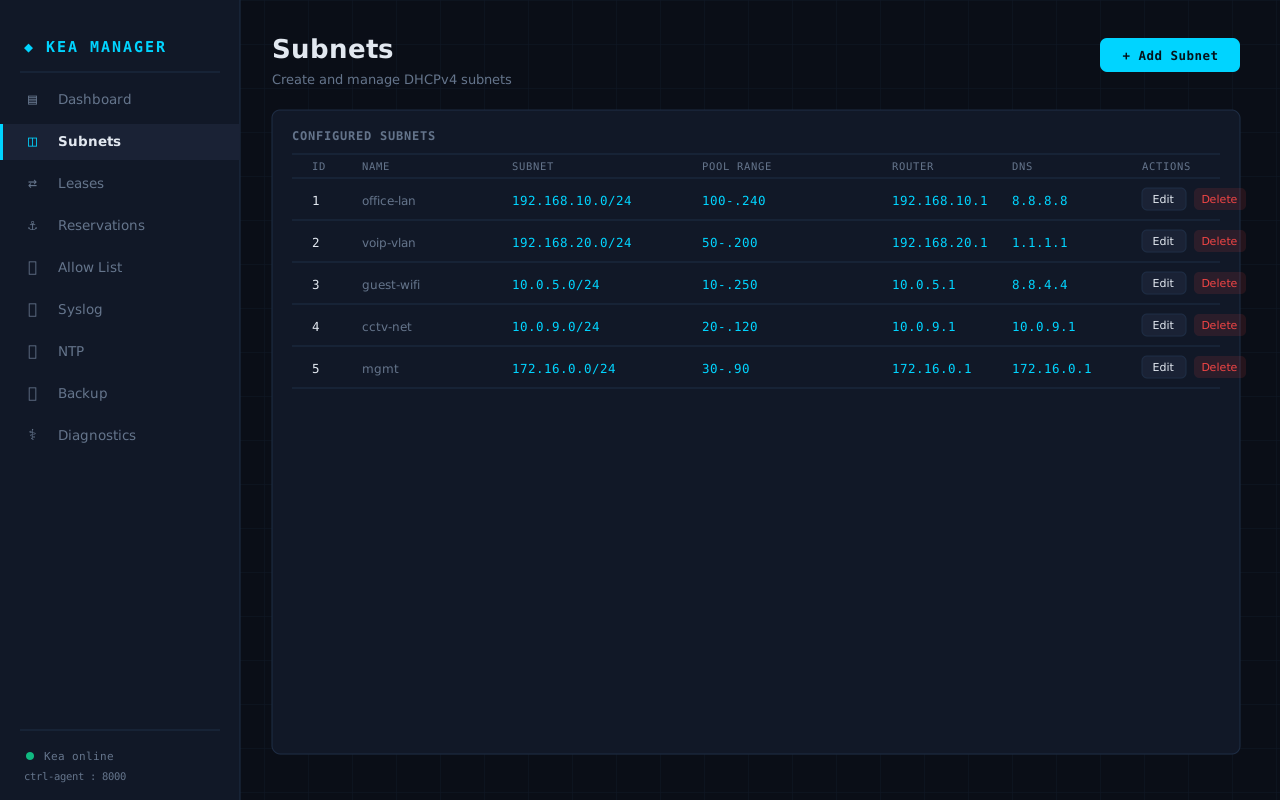
Subnet management with pools, routers and DNS — edit and delete inline.
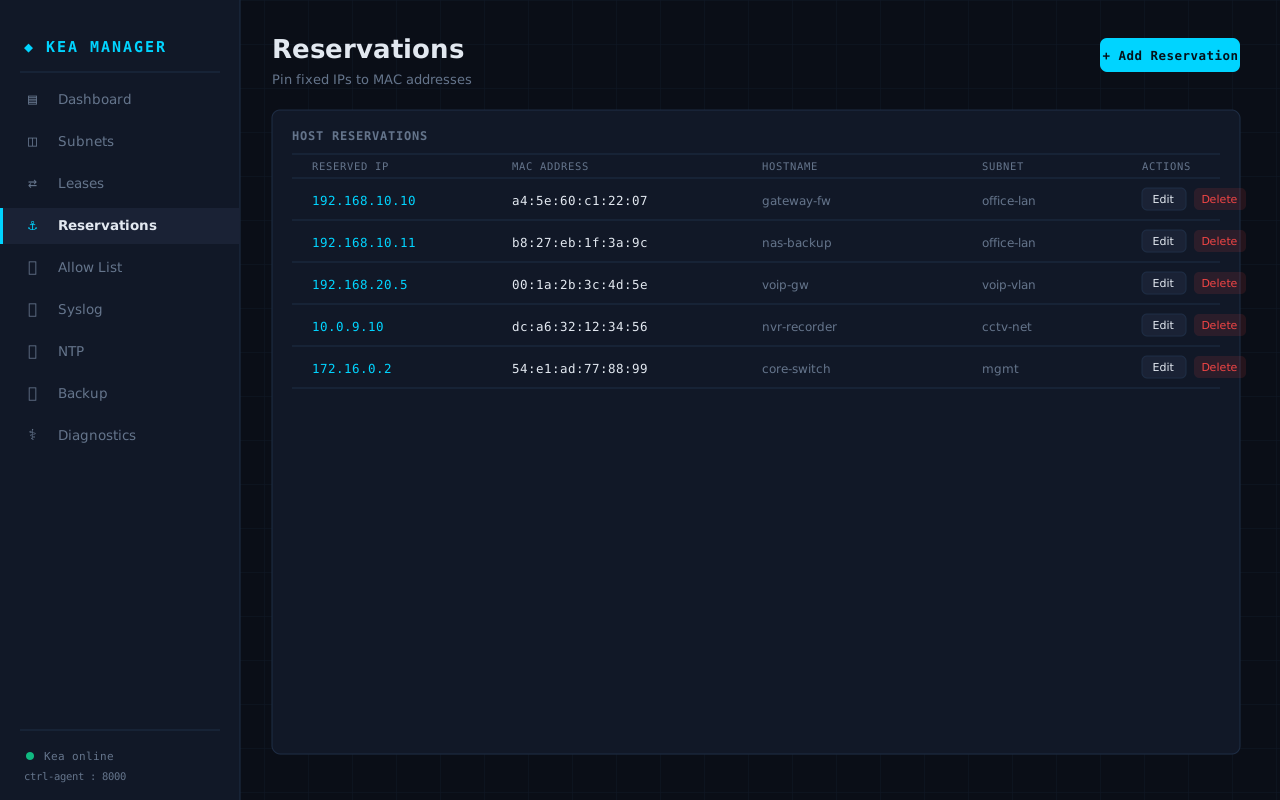
Reservations — pin a fixed IP to a MAC address, per subnet.
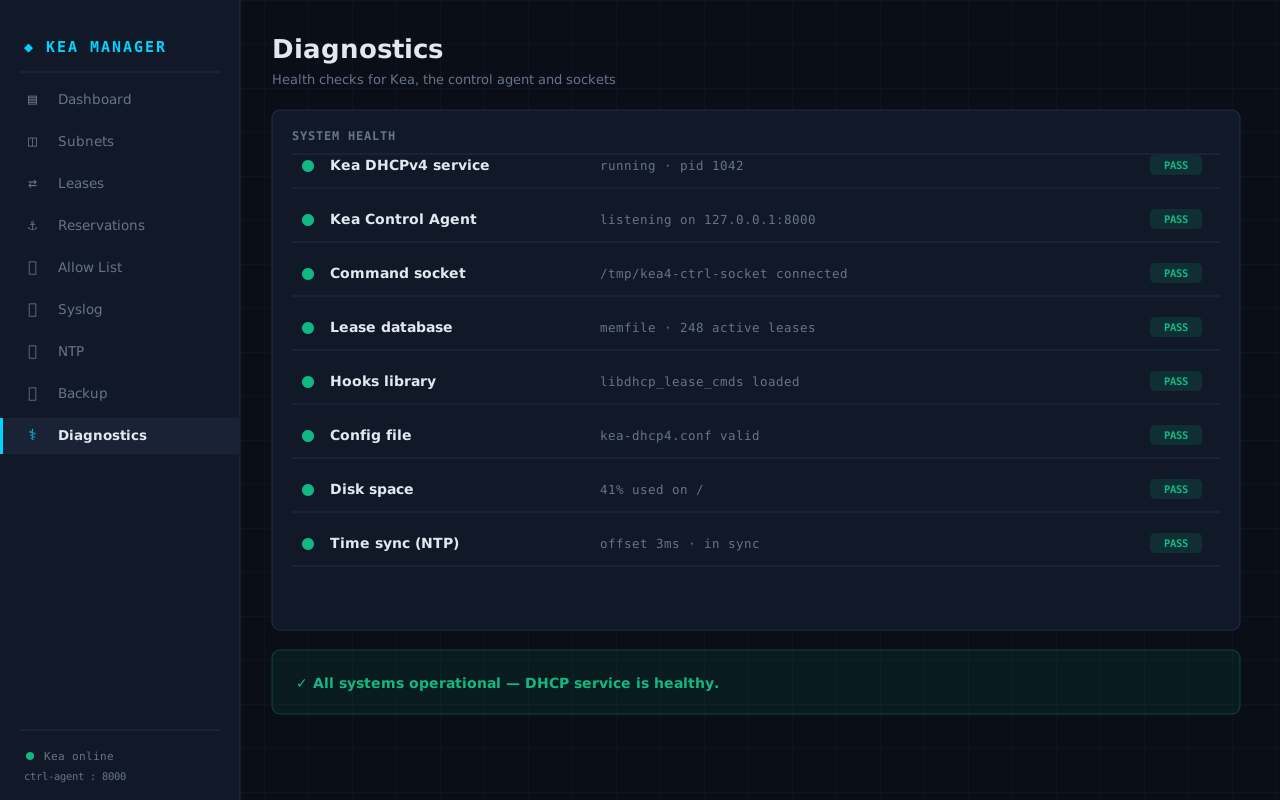
Diagnostics — health checks for Kea, the control agent and sockets, with the exact cause on failure.
Built For
It's free and self-hosted — install it on your own Ubuntu server in one command, or talk to us and we'll help you deploy it on your network.